
From daily tasks to complex projects
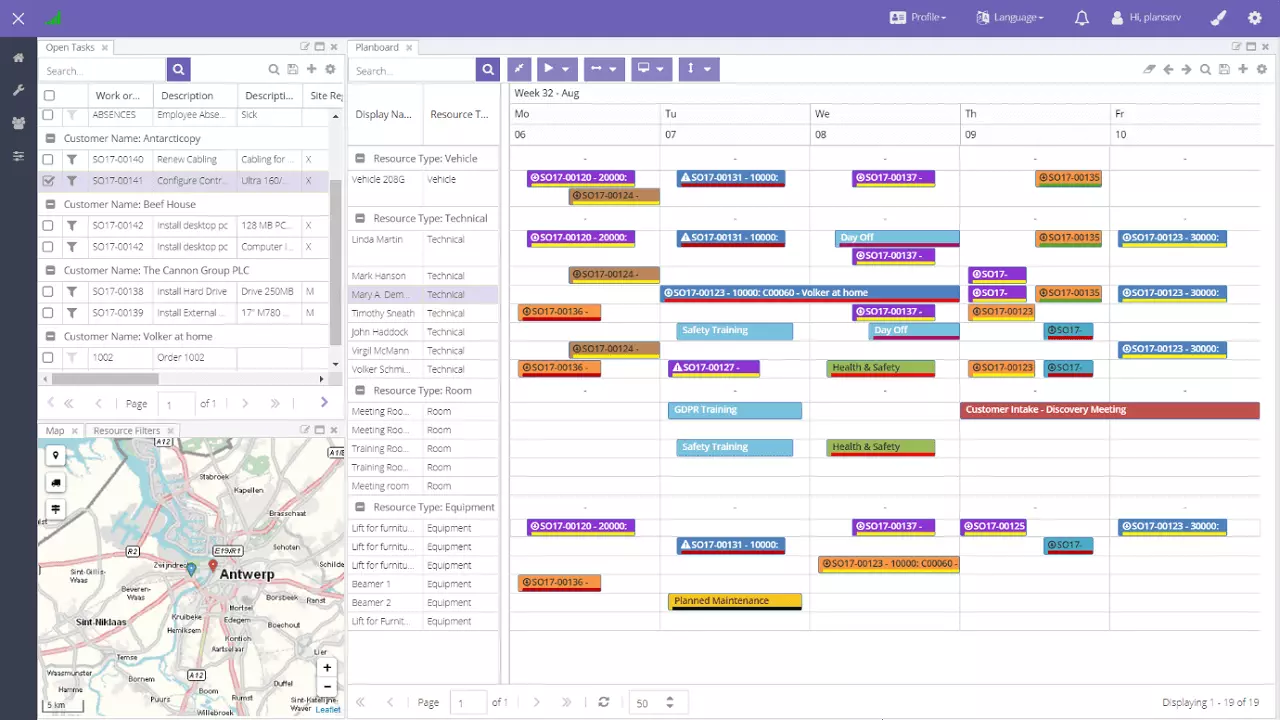
Drag a job task onto the right person and the planning lines in Business Central are updated for you. Built for work where plans change by the hour.
Microsoft Dynamics 365 Business Central
Plan, staff, and follow up your Business Central projects in one place. Dime.Scheduler picks up your jobs and job tasks from Business Central, lets you plan them on a planning board or a Gantt chart, keeps an eye on budgets and progress across all projects, and sends the hours your team records back as timesheets.

The jobs you send from Business Central show up in one overview, with how far along each one is, how much of the budget has been used, and whether it is on track.
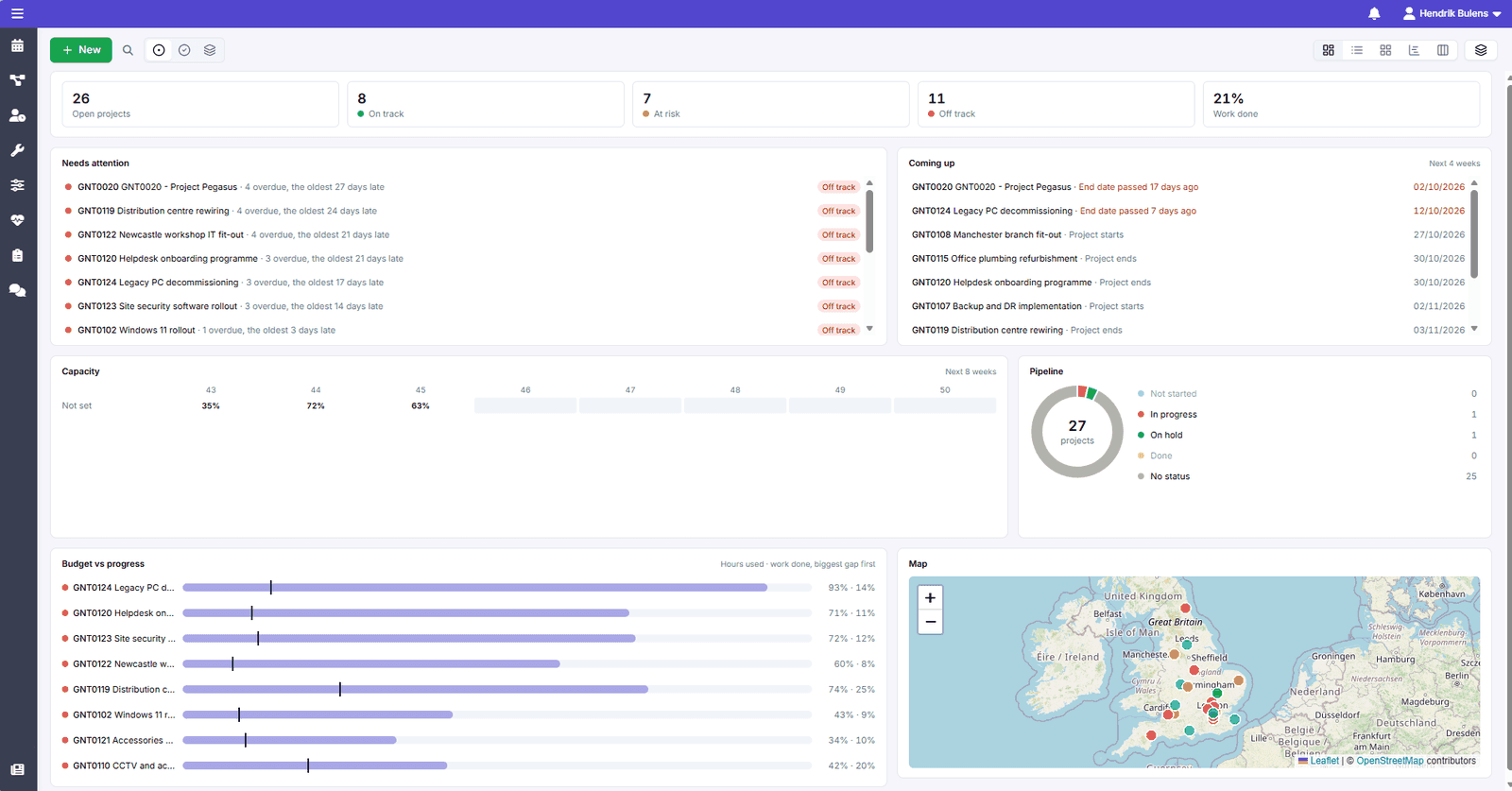
You decide what a project in trouble looks like, and those projects are listed under Needs attention, so you know where to step in today.
See how this works in professional services, construction, engineering, and manufacturing.
Pick the way of planning that fits the work: the planning board for fast-moving tasks, the Gantt chart for large, multi-phase projects.
Drag a job task onto the right person and the planning lines in Business Central are updated for you. Built for work where plans change by the hour.

Plan every phase, link tasks that depend on each other, and follow progress as it happens, so deadlines are met and the scope stays under control.
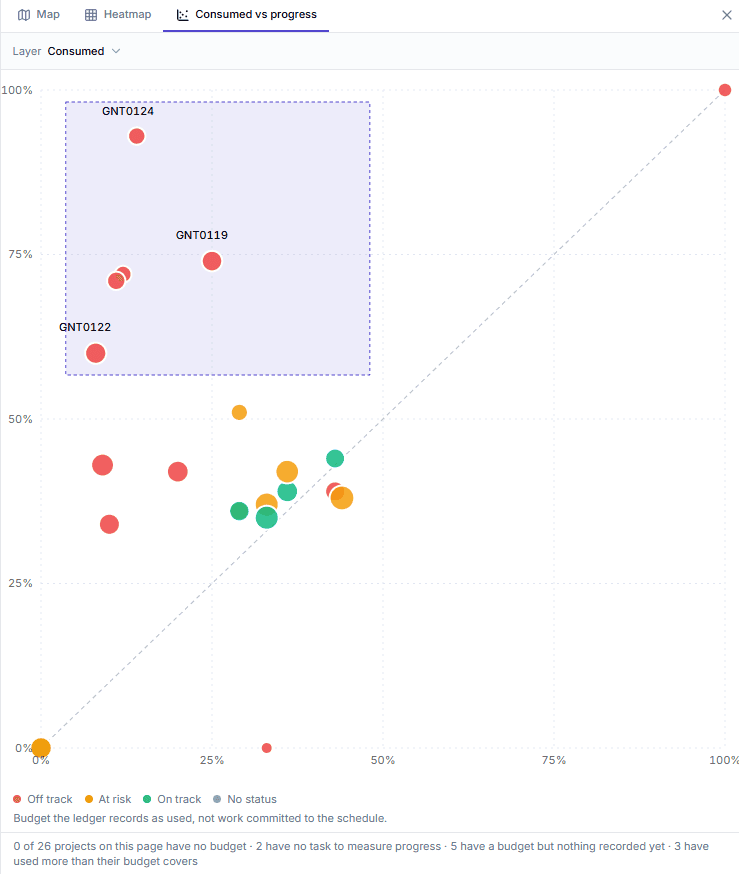
The planning budget on your job tasks comes along from Business Central, and you compare budget used with progress made across all projects.
Your team records time against the jobs and tasks they were planned on, without anyone retyping hours.
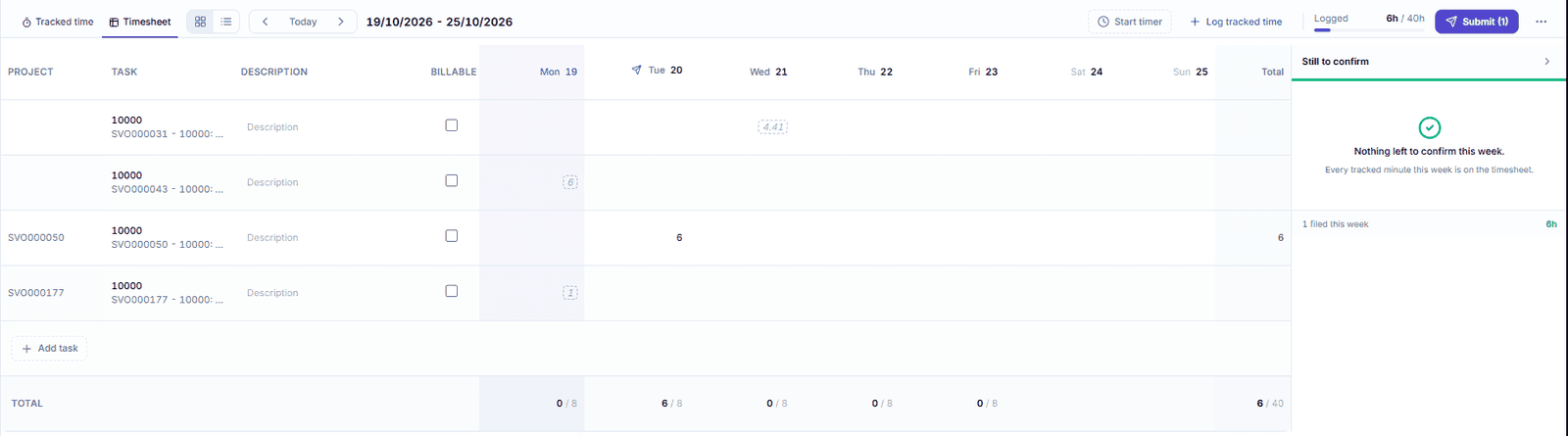
With a timer or a weekly timesheet, with billable hours marked.
Timesheets flow back into Business Central, so invoices and job costs are based on the hours that were actually worked.
With the Exchange add-on, planned appointments appear in Outlook and stay up to date when plans change.
See how Dime.Scheduler can be used in various ways to plan your projects.
Short-term project planning

Long-term project planning
Like what you see?
Reach out to our team who will be happy to show Dime.Scheduler in action.
90-day free trial available!