Microsoft Dynamics 365 Business Central
Dime.Scheduler gives you the power to manage your field service workforce like never before. From real-time scheduling to route planning and automatic schedule optimization, you can ensure your team is always at the right place, at the right time. Boost productivity while reducing travel time and costs with easy-to-use, intuitive tools designed for field service professionals. Technicians see their day on the mobile app, update job status from the site, and record their hours.

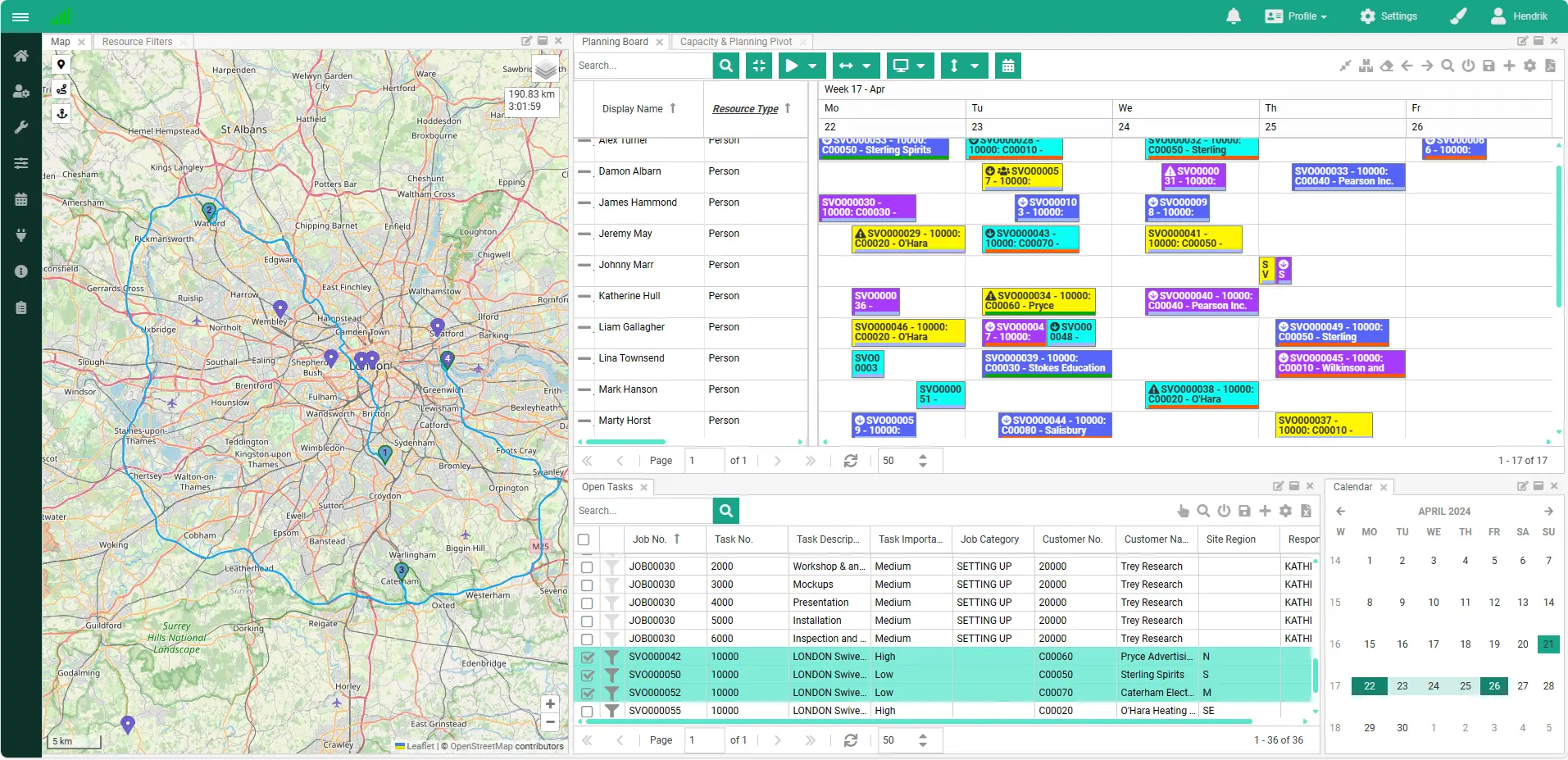
Service orders from Business Central land on one planning board, next to your technicians, their skills, and their location.

The map shows who is closest to the job site, so you cut travel time and fuel costs. Or let Dime.Scheduler propose an optimized plan, which you can review before it is applied.
Filter on skills, certifications, and availability to find the best-suited technician for each job.
Dime.Scheduler integrates with leading CRM and ERP systems, making it easy to streamline your operations without overhauling your existing setup.
RTH Oy has been providing maintenance and repair services to properties and outdoor areas for over 17 years in the greater Helsinki area. With a team of 60 dedicated staff members and an impeccable reputation, RTH Oy has been entrusted by public administrators, private companies, and property managers to keep their real estate clean, modern, and efficient.
Read RTH's entire story here
Their schedule, the job details, directions, and a timer on their phone, and every update back on the planning board straight away.
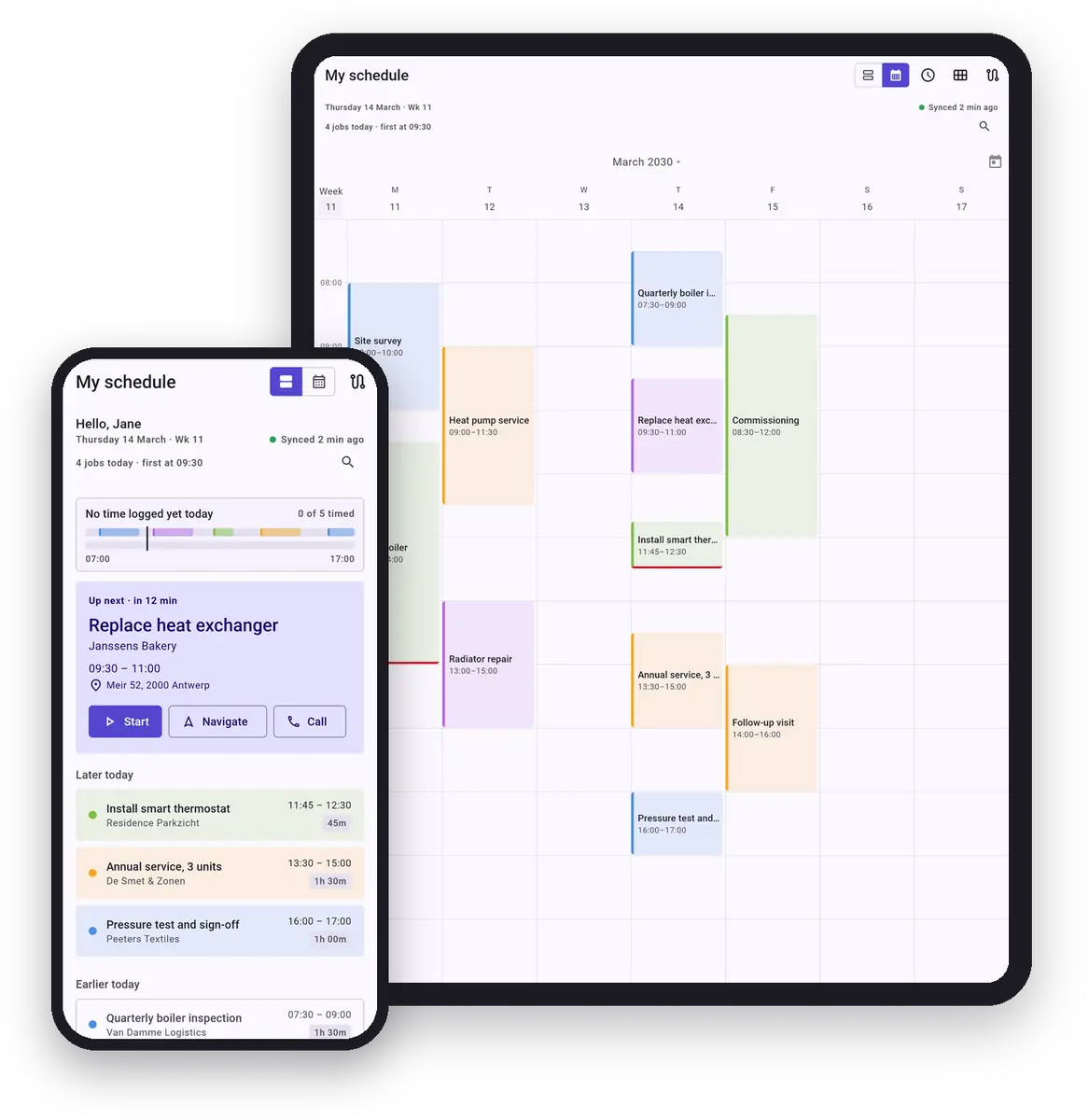
See what is up next, open a job's details and address, navigate there in one tap, and update its status on site.
Start a timer on the job and submit the hours on the timesheet, straight from the phone.
The schedule and job details stay available without a signal, and changes are sent once the phone is back online.
Like what you see?
Reach out to our team who will be happy to show Dime.Scheduler in action.
90-day free trial available!