
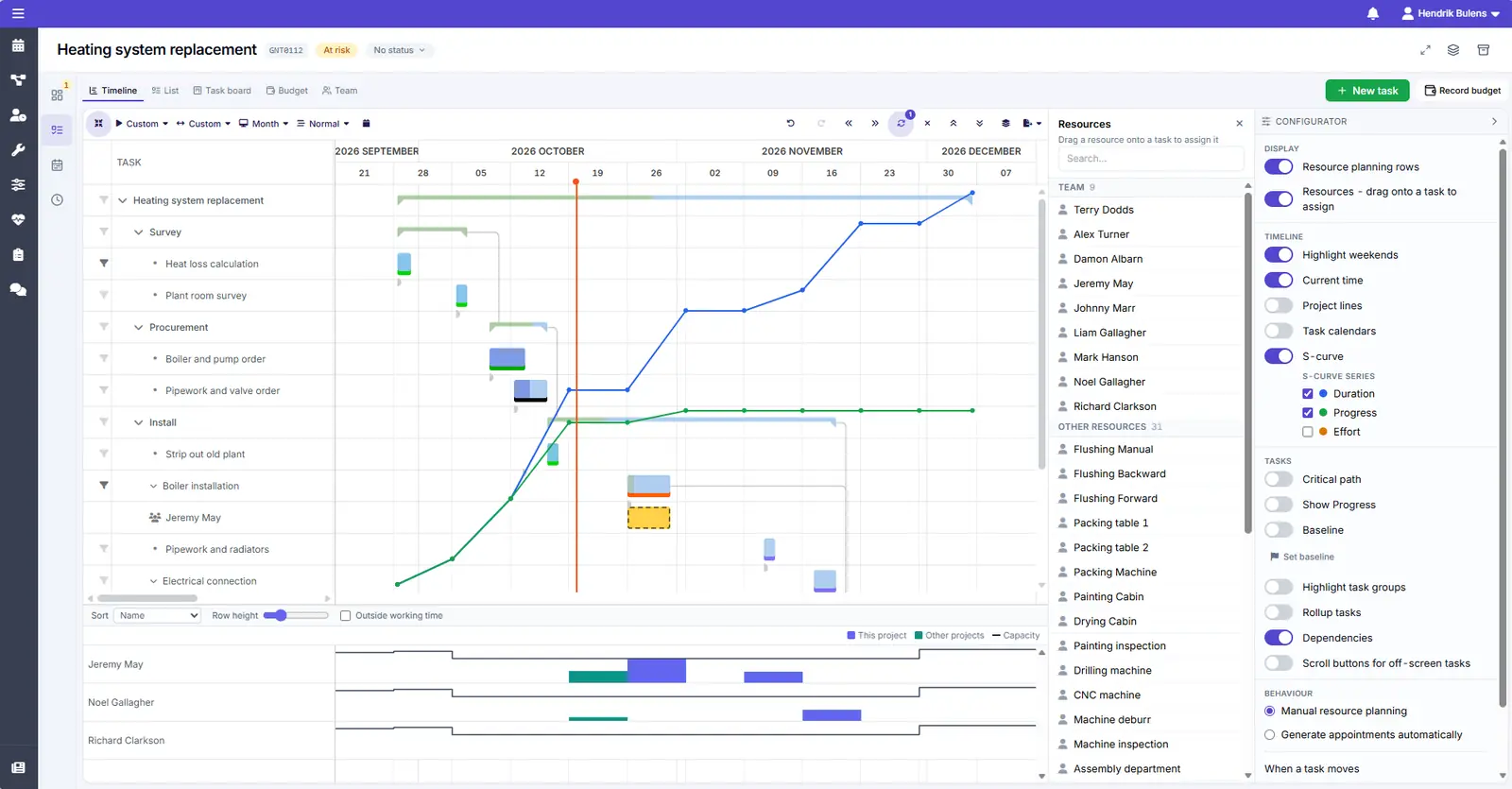
From concept to site support
The Gantt chart keeps track of which tasks depend on which, so you see straight away what a delay in one discipline means for the rest of the project.
Civil, structural, MEP, or industrial: when you sell engineering hours, every project has to land on time and within budget. Dime.Scheduler helps you plan your projects, put the right engineers on them, keep project budgets in check, and bill the hours through Business Central.
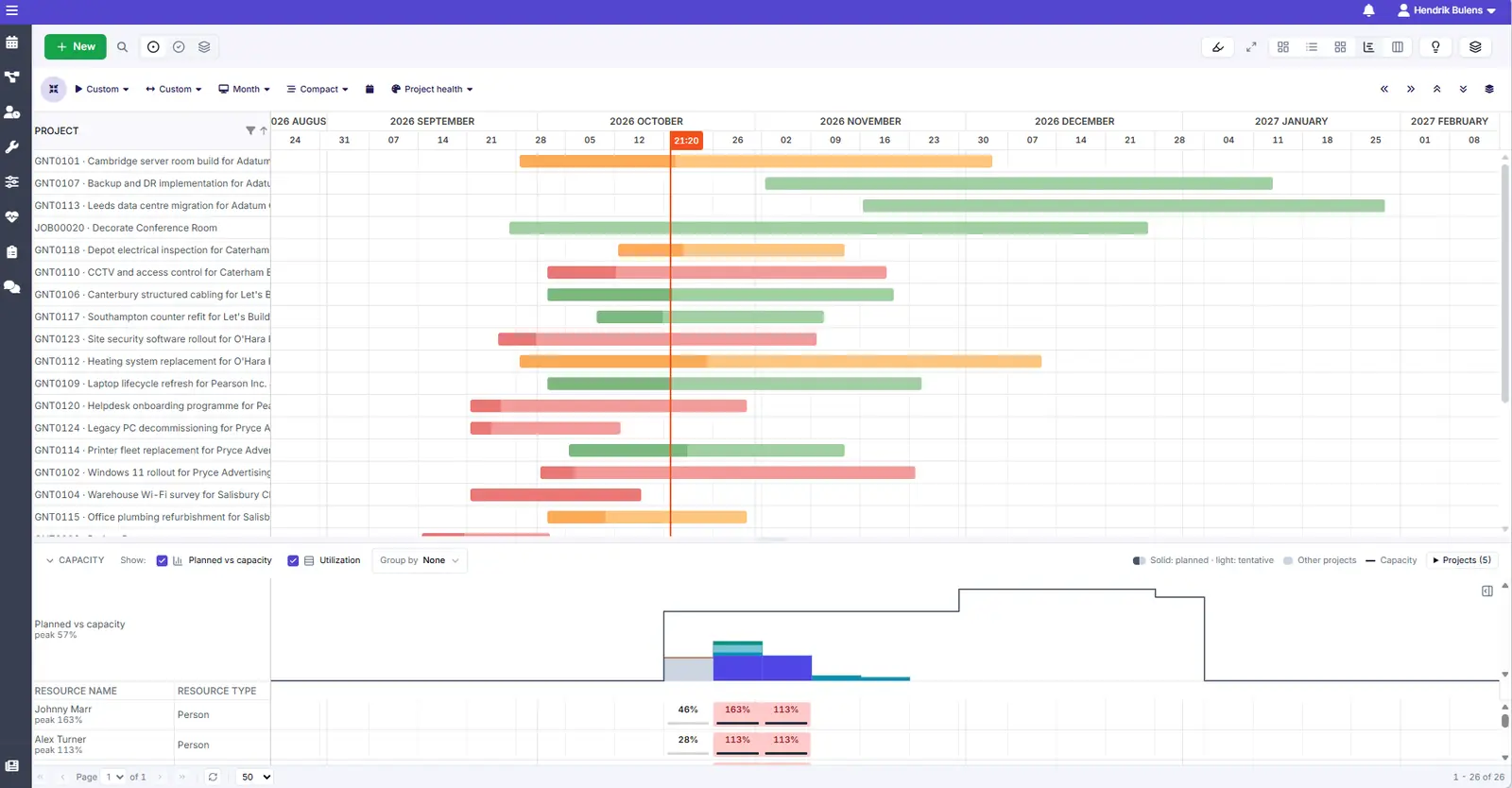
Every client project on one screen, with how far along it is, how much of the budget has been used, and whether it is on track.
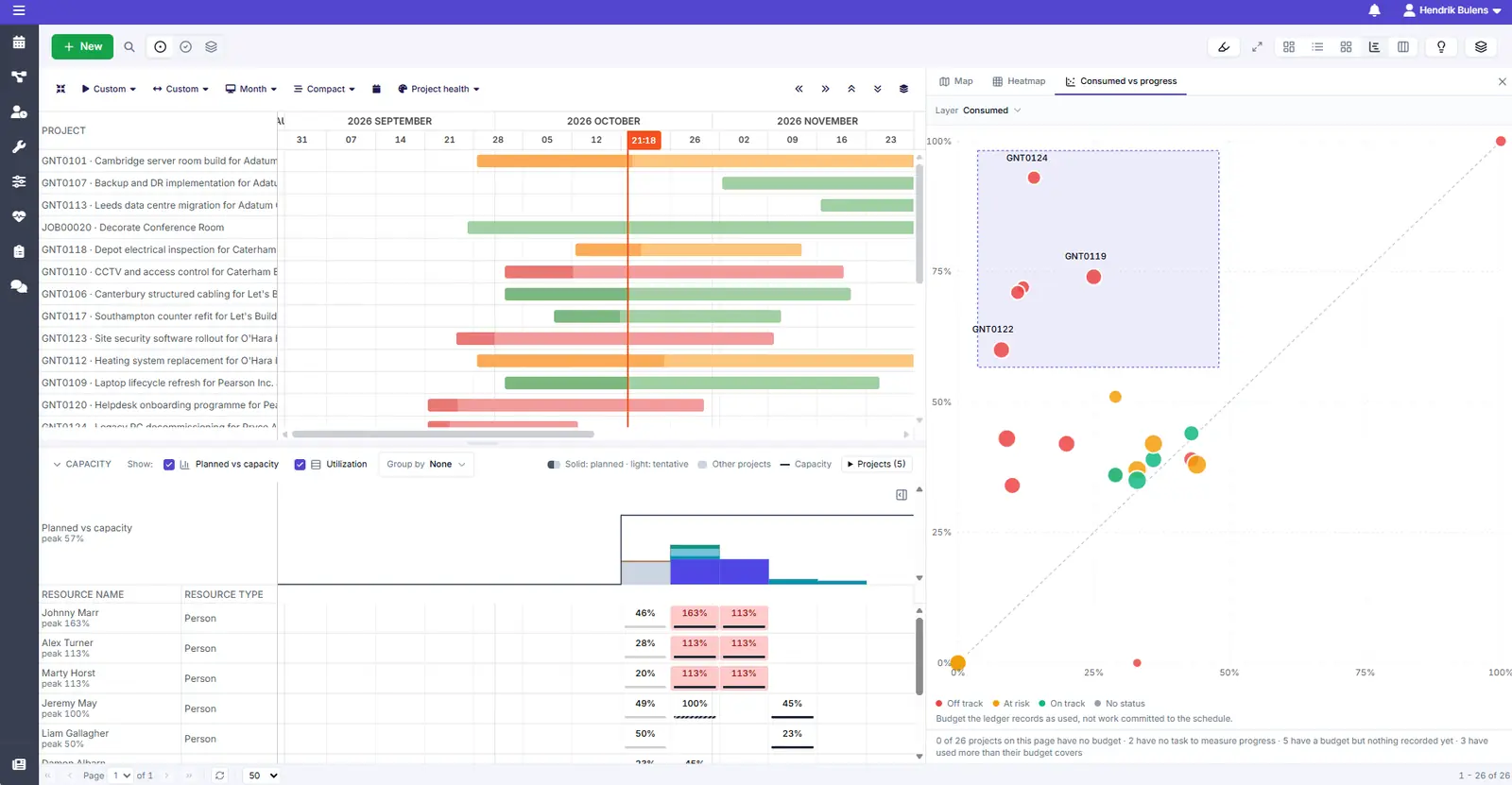
Pick out the projects that are over budget or behind schedule and the rest fades into the background, so you know exactly where your attention is needed today.
On a fixed-fee project, every hour spent without moving the work forward comes straight out of your margin. Drifting projects stand out long before the final invoice.
Break each project into phases such as concept, detailed design, permitting, and site support, and break those down into tasks with their own budget.
The Gantt chart keeps track of which tasks depend on which, so you see straight away what a delay in one discipline means for the rest of the project.
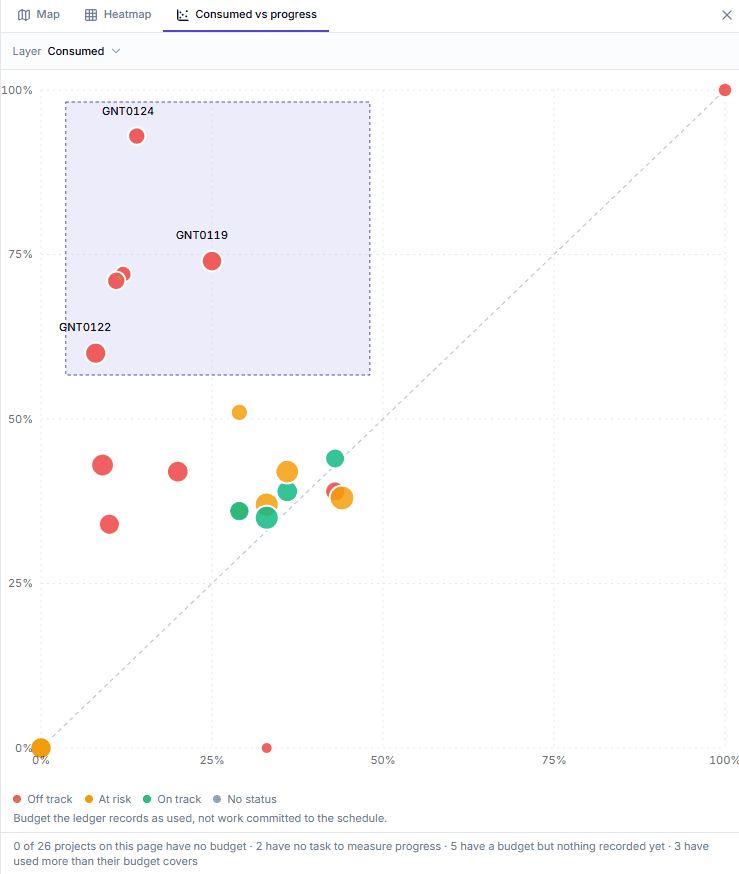
One chart compares the budget used with the progress made across all your projects.
Watch how a long-term project is planned in the Gantt chart first, and then staffed on the planning board.
Put the right discipline on every task, and keep specialists from being booked on three projects in the same week.
Find the right person for each task based on discipline, certifications, seniority, and availability, whether you need a structural engineer for two days or a project lead for six months.
See the hours already planned next to the time your engineers have available, week by week, with time to move work, bring in help, or agree a new date with the client.
Engineers record their time as they go, and every billable hour ends up on an invoice.
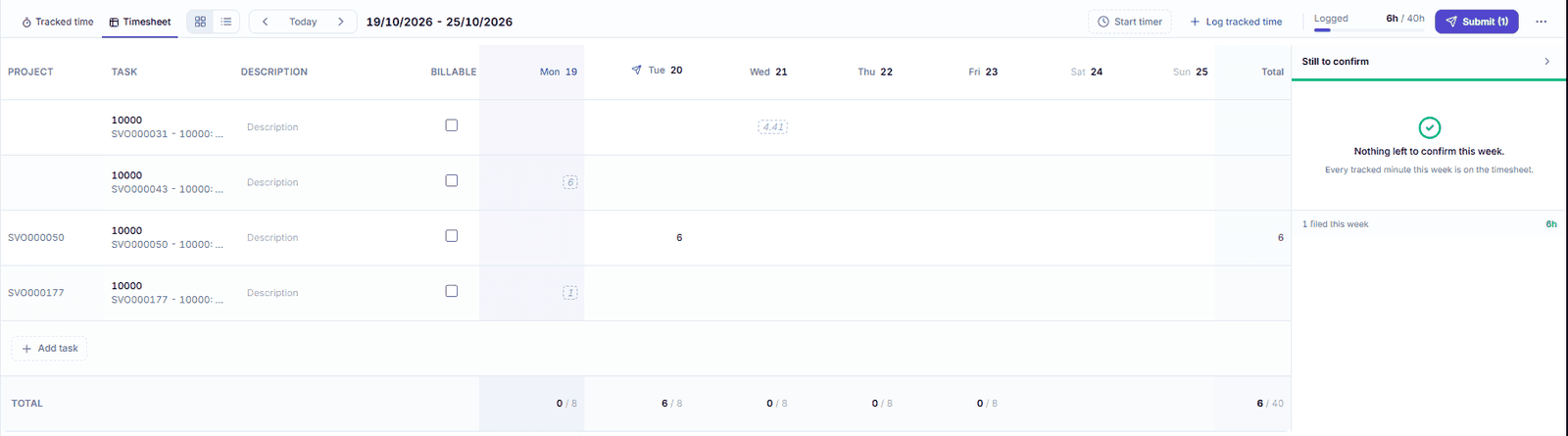
Engineers record time against the project and task they worked on, with a timer or a weekly timesheet, and mark what is billable.
Timesheets go to Business Central, so invoices and project costs are based on the hours that were actually worked. You see at a glance who still has to fill theirs in.
With the Exchange add-on, planned work appears in your engineers' Outlook calendars, right next to their client meetings and site visits.
Like what you see?
Reach out to our team who will be happy to show Dime.Scheduler in action.
90-day free trial available!