Plan maintenance, technical installations, cleaning and security rounds across all the sites you look after, and fit in the repairs that come up in between.
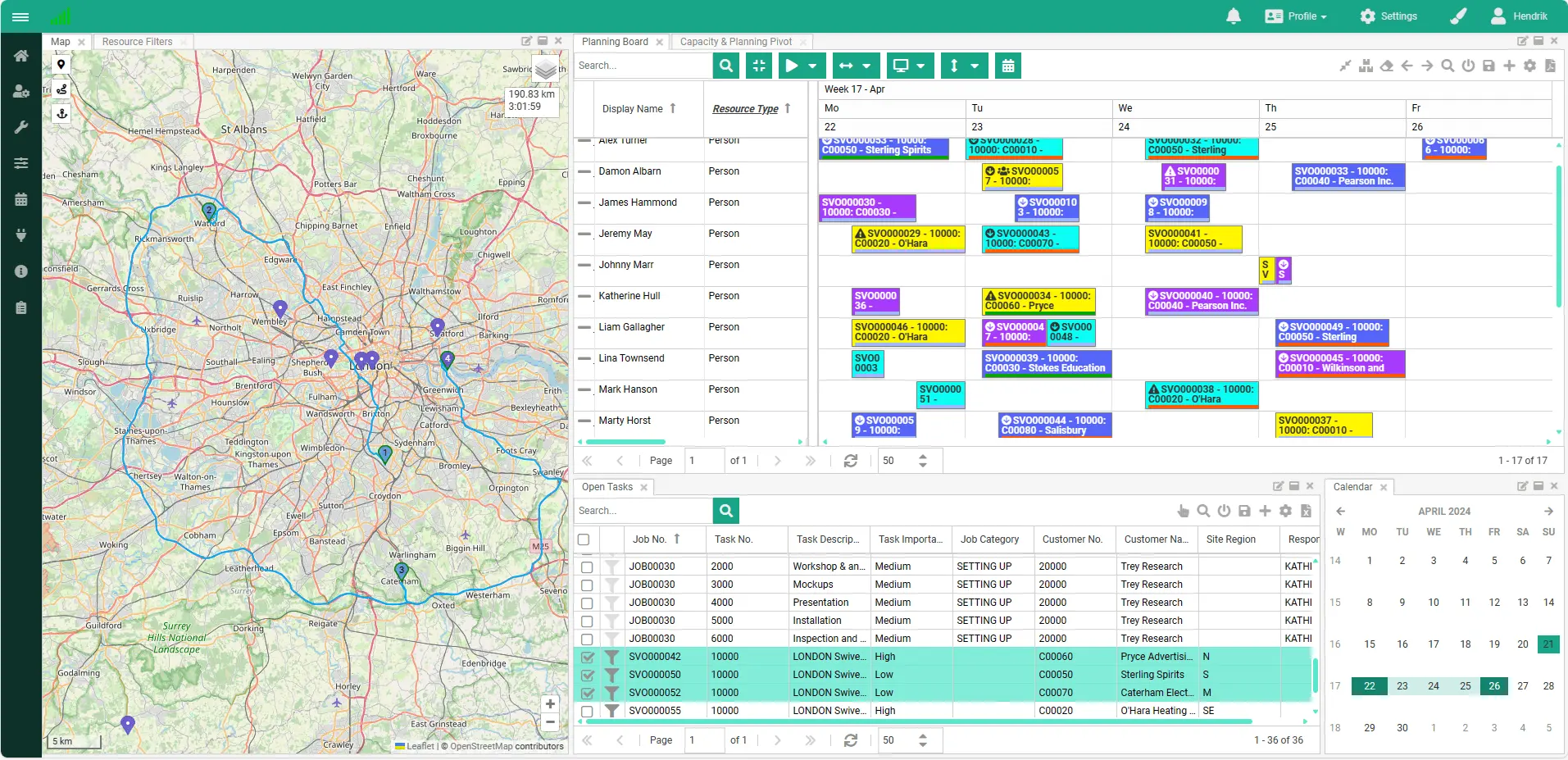
Rounds come back every week and repairs come in every day. Both end up in the same plan.
Recurring rounds and repair requests arrive from Business Central, your CRM, the Power Platform or any other system.
Drag each job to a person or a crew, and see on the map which buildings are close together.
Your staff see the day's buildings in the app, with the contact on site and the notes.
The next site is already waiting in the app, in the order of the day, with navigation one tap away.
The same team often covers dozens of buildings. Let Dime.Scheduler work out a plan that fits, then check it before it goes live.
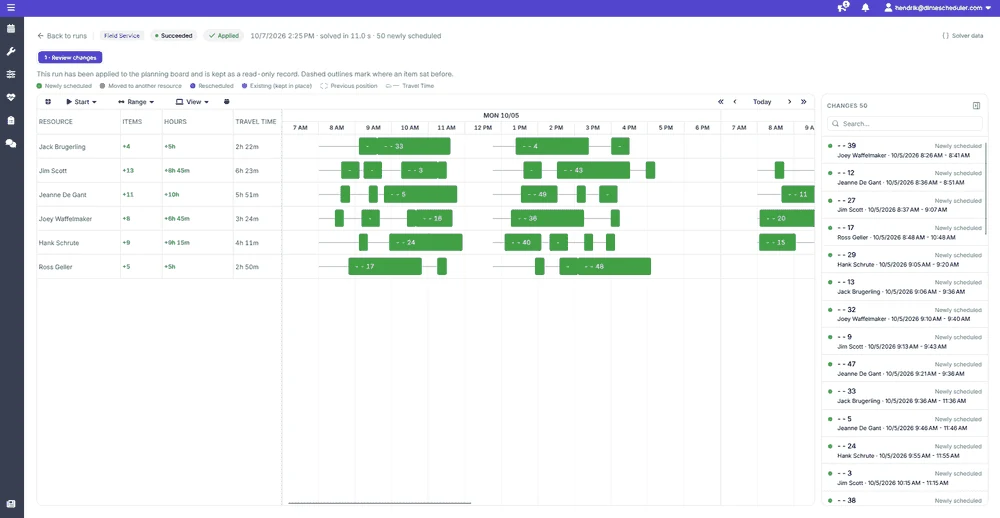
Automatic optimization (an optional module) spreads the work over your staff by skills and availability, with short drives between sites. You can check the changes before they are applied.
Weekly cleaning and monthly technical checks come in from your service contracts in Business Central, or repeat on a schedule you set once.
Plan a cleaning or security team as a single crew, so everyone in it gets the job at once.
Caretakers, cleaners, security staff and technicians see their buildings for the day on their phone.
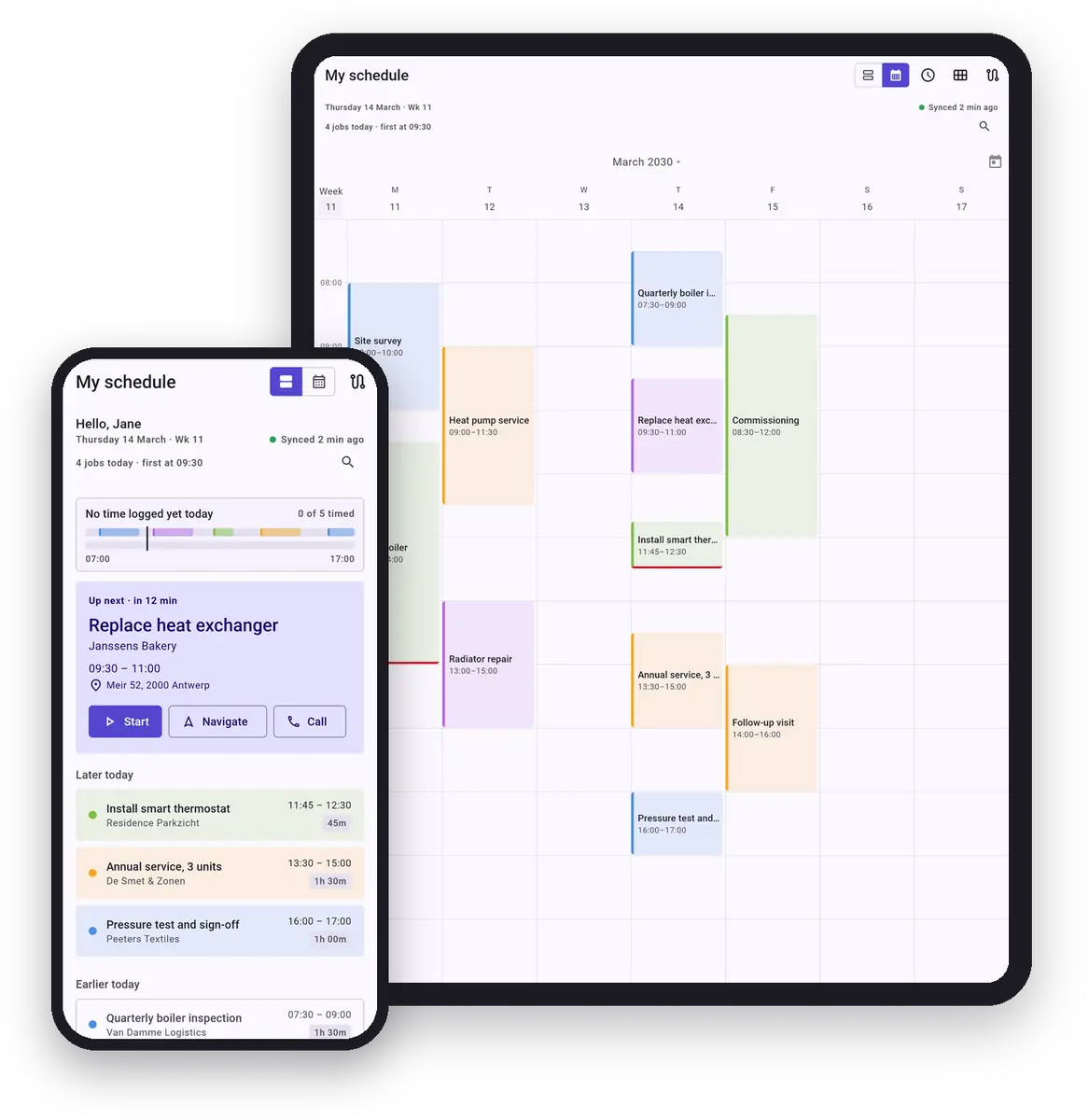
Each job with the address, the contact on site and the notes, plus the week ahead.
Navigate with Google Maps, Apple Maps or Waze. Location sharing is opt-in and only during the hours each person chooses; when it is on, the planner sees who is closest.
No signal is no problem: the day's jobs stay on the phone, so staff always know where to go next.
The app is available in English, Dutch, French and German.
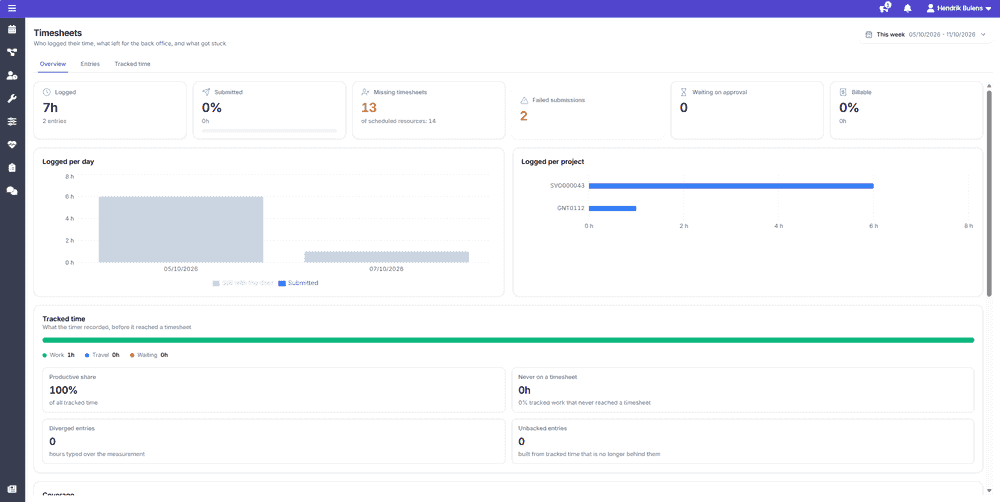
When staff move between many sites in a day, the hours need to end up on the right job. Staff log them on the web or in the desktop app, and the office sees who is up to date.
The timesheets overview shows who has sent their hours and who still needs a reminder.
Timesheets go to Business Central for approval and invoicing, with no retyping in the office.
RTH Oy has maintained and repaired properties and outdoor areas in the greater Helsinki area for over 17 years. Its team of 60 keeps buildings for public administrators, companies and property managers clean, modern and efficient.
Read RTH's entire story
Each part works on the same data, so a change in the plan shows up on the schedule, and the hours logged in the office flow back to Business Central.
Like what you see?
Reach out to our team who will be happy to show Dime.Scheduler in action.
90-day free trial available.