Solar panels, heat pumps, wiring or alarm systems: every installation needs a survey, a crew for several days and visits afterwards. Dime.Scheduler plans each step and keeps your installers informed on their phones.
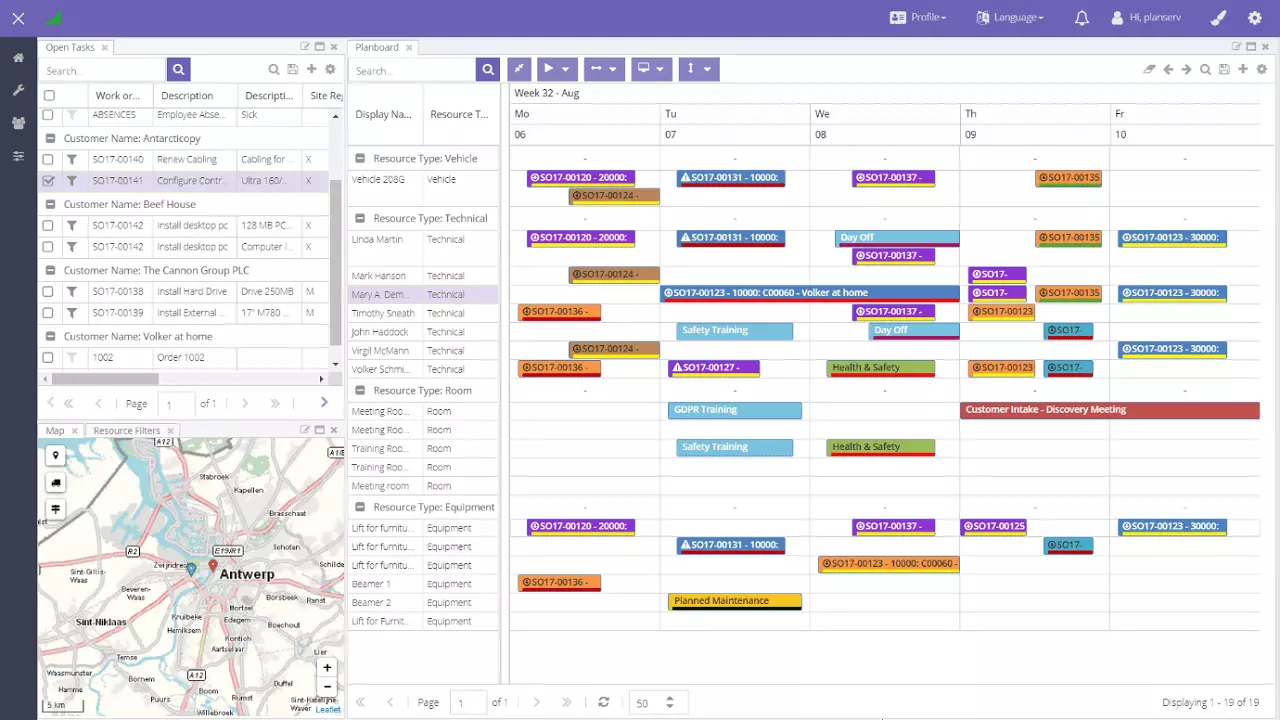
Whatever you install, the work follows a familiar route. Dime.Scheduler plans each step and the people behind it.
The order comes in from Business Central, your CRM or another system. Plan the survey with a qualified surveyor nearby, with travel times on the map.
Plan the installation over several days and book the crew as one team, together with the equipment they need.
Link commissioning to the installation in the project plan, so the order of the work is clear to everyone.
Yearly maintenance and service visits come in from Business Central, or repeat on a schedule, and are planned on the same board.
Larger jobs run over weeks: survey, ordering, installation and commissioning. Lay them out in one plan.
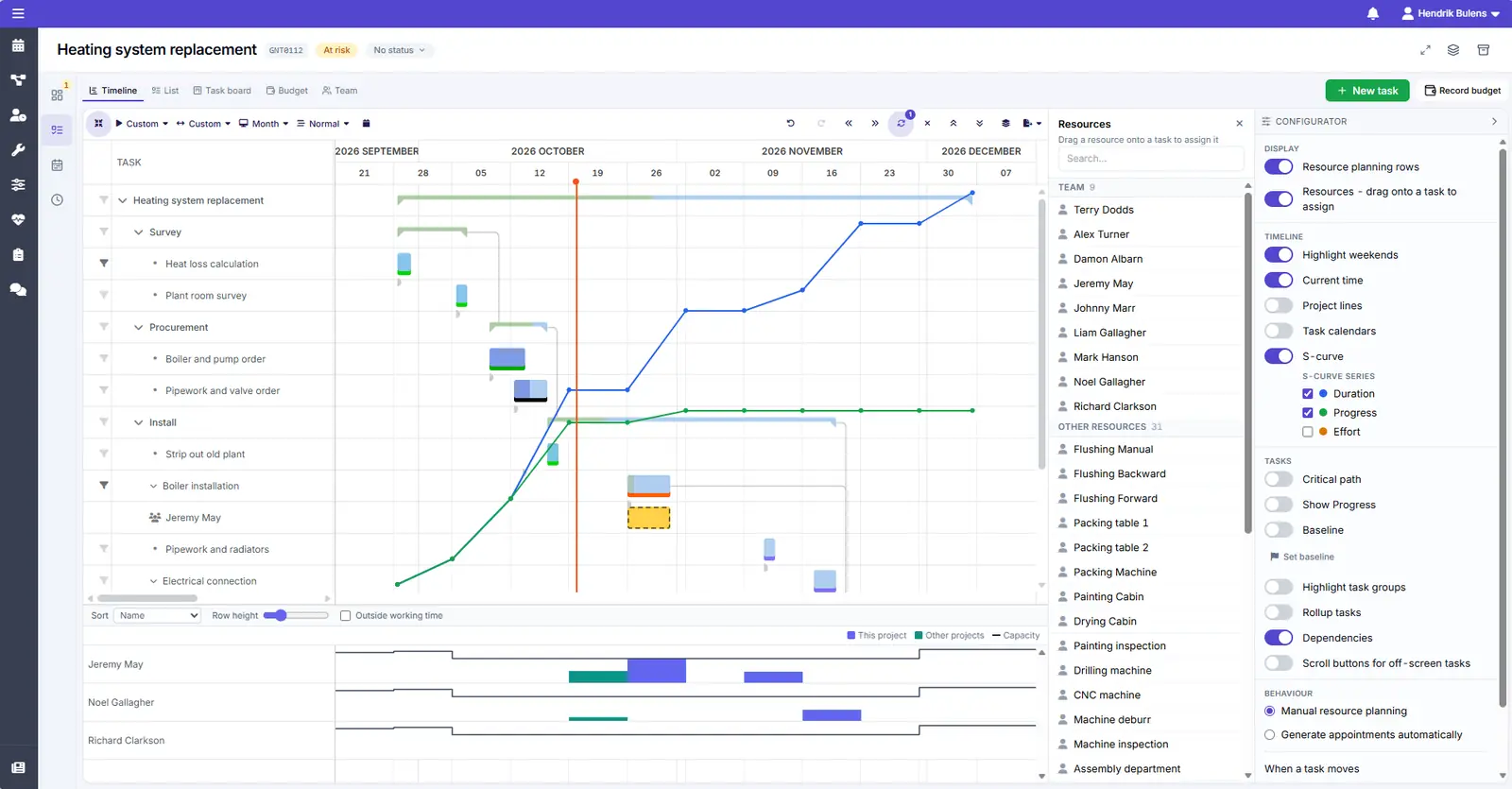
Break the job into phases and tasks, and link the ones that depend on each other. The electrician is not booked before the panels are on the roof.
Compare the hours used with progress, phase by phase, and see early when an installation takes longer than planned.
See each installer's planned hours across all jobs below the timeline, before you add another week of work.
The mobile app runs on iOS and Android phones and tablets, in English, Dutch, French or German.
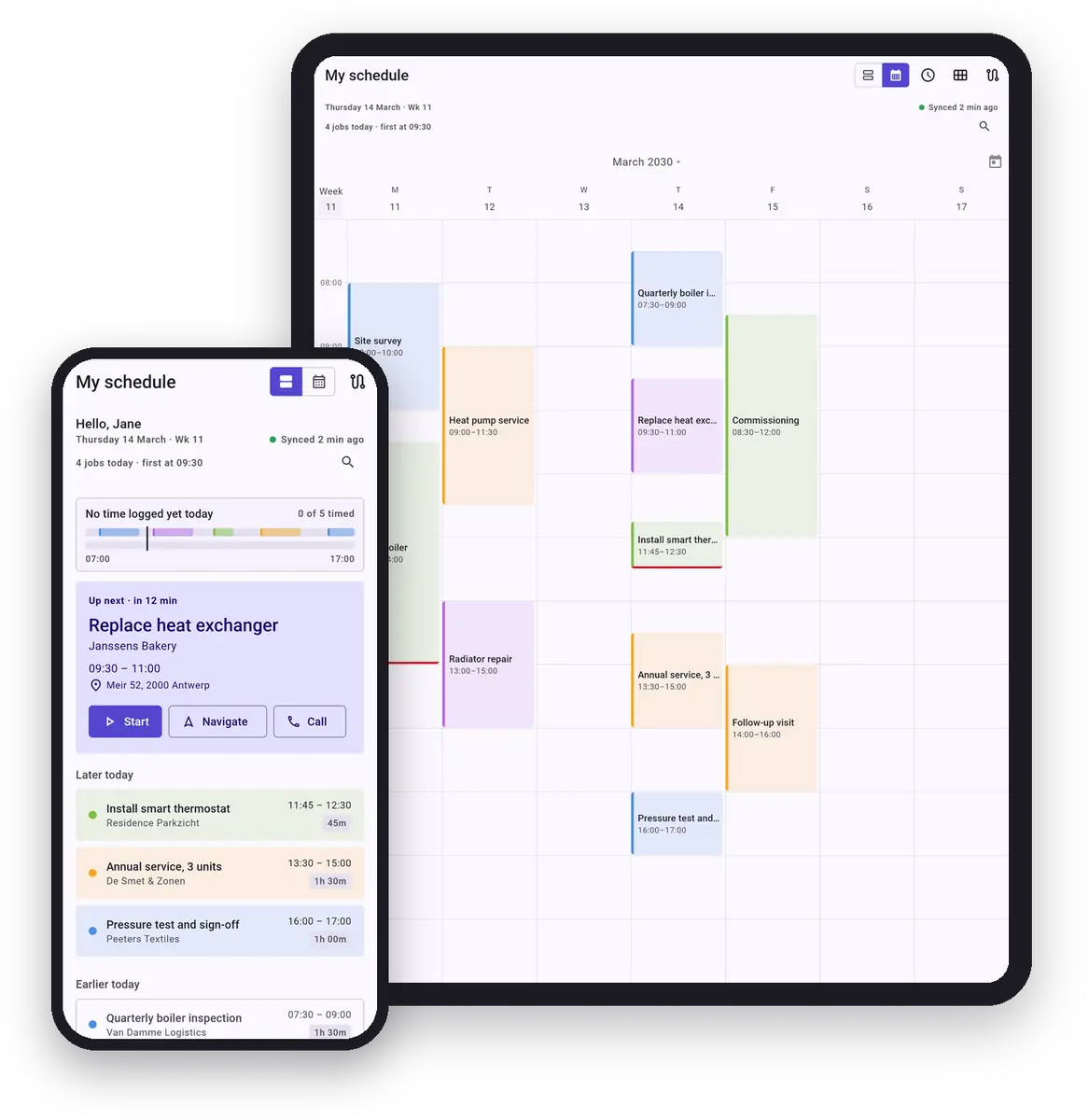
Address, contacts and notes for every job, and navigation with one tap.
A job that is moved or added shows up in the app, with no calls or texts to pass it on.
In a basement or on a roof, the job details stay on the phone.
Location sharing is opt-in and only during the hours you choose; when it is on, the planner sees who is closest to an urgent call.
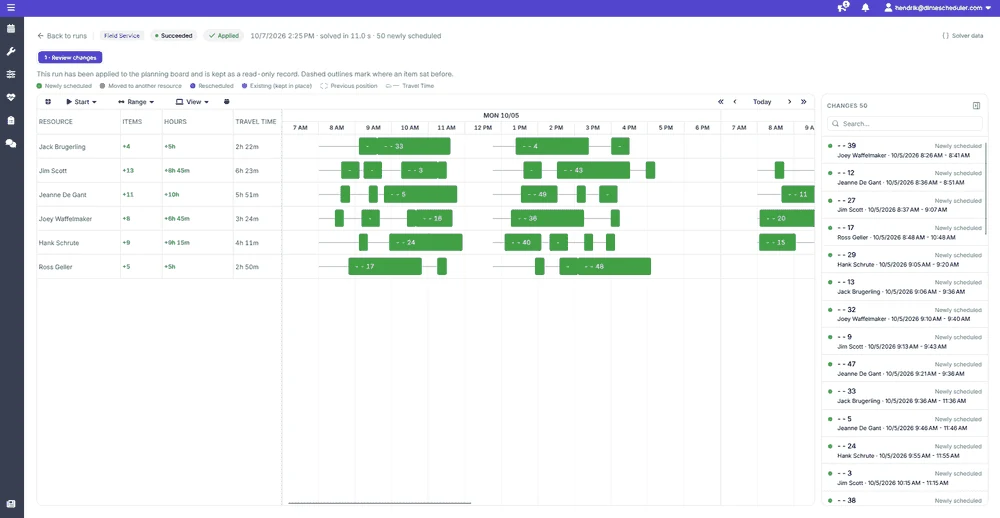
With installations and service visits to fit in every week, let Dime.Scheduler suggest the plan and keep the final say.
Automatic optimization (an optional module) fills in the open surveys, installations and service visits. You can review the list of changes before they are applied.
Filter on skills and certifications, so only qualified electricians or HVAC technicians end up on the job.
See travel times and routes on the map, and plan jobs that are close to each other on the same day.
Each part works on the same data, so a change in the plan shows up on the schedule, and the hours logged in the office flow back to Business Central.
Like what you see?
Reach out to our team who will be happy to show Dime.Scheduler in action.
90-day free trial available.