

Phases and dependencies
Break manufacturing orders down into phases in a Gantt chart, link them with dependencies, assign resources, and track progress.
In engineer-to-order manufacturing, every order is its own project. Dime.Scheduler plans each one as such: phases and dependencies in a Gantt chart, budget and progress per order, engineers and machines on one planning board, and hours from the floor flowing back into Business Central.
See every open order on one screen with its progress, the hours spent so far, and whether it is on track by your own standards.
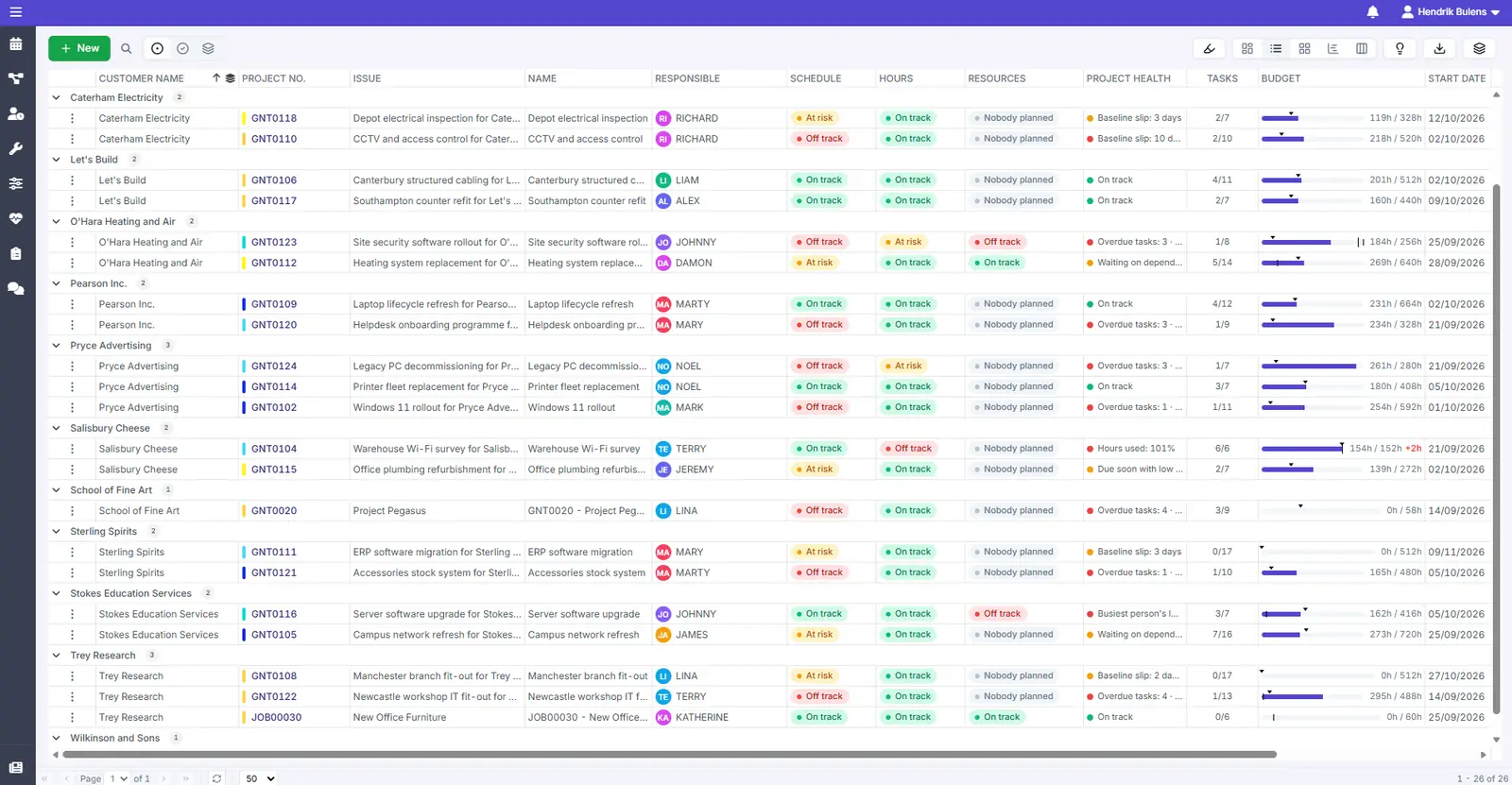
A heatmap shows how many orders are running each month, per customer or per responsible person, so a crowded month stands out well before it arrives.
Each order carries a budget in hours. Orders that use up hours faster than they make progress stand out right away, while there is still time to act.
Flag orders on overdue tasks, budget used, or an end date coming up with little progress, and see which ones need a decision today.
When every order is unique and every delivery date matters, plan it like a project, not like a factory.
Break manufacturing orders down into phases in a Gantt chart, link them with dependencies, assign resources, and track progress.
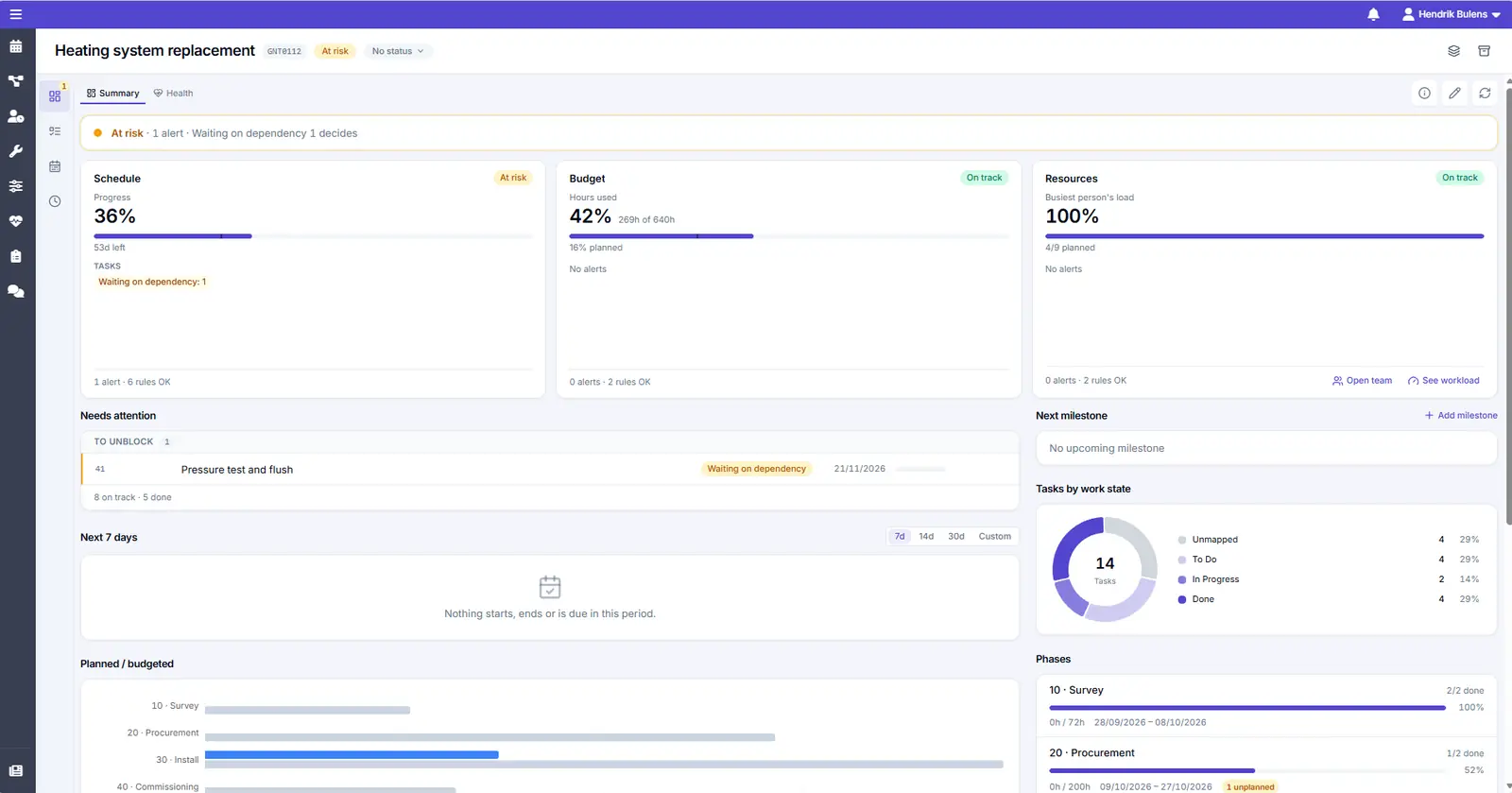
The phases and tasks, the people and machines assigned, the budget, and the hours spent so far, all on one overview.
Planned and released production orders in Business Central can be planned too, next to projects and service orders.
With technicians, engineers, and machines all in the mix, resource overload can cause major delays.
A bird's-eye view of assignments across your team and the floor, so you can spread the work and hit delivery dates.
See double bookings and overloaded work centers at a glance, and fix them with drag and drop.

Hours from the floor flow back into the project, so costing is based on what was really spent.
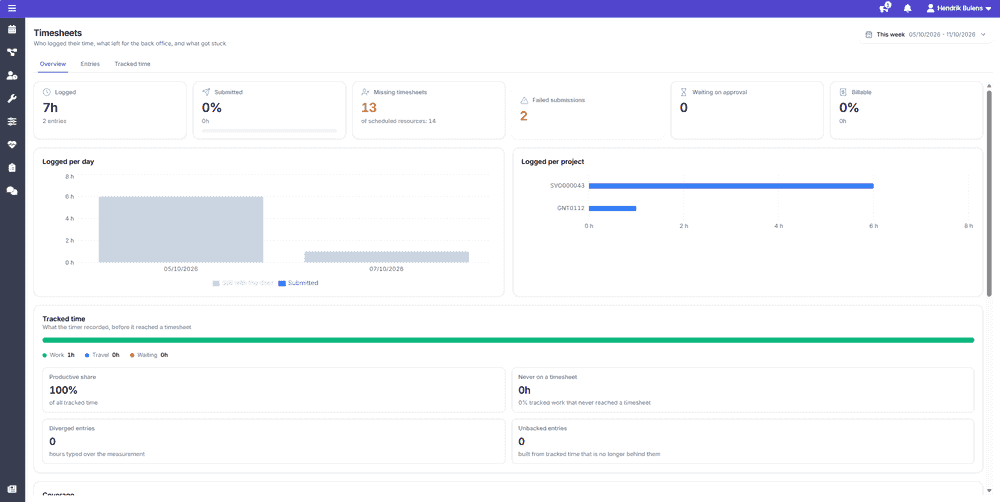
Engineers and operators log their hours against the project task they were scheduled on, with a timer or a weekly timesheet.
You see who has logged their hours and which timesheets are still missing.
Submitted timesheets go to Business Central, so project costs are based on the hours actually spent, not the hours that were planned.
Like what you see?
Reach out to our team who will be happy to show Dime.Scheduler in action.
90-day free trial available!