Plan preventive maintenance, safety checks and urgent repairs at hospitals and labs on one board, and find the engineers who are certified for that device in one click.
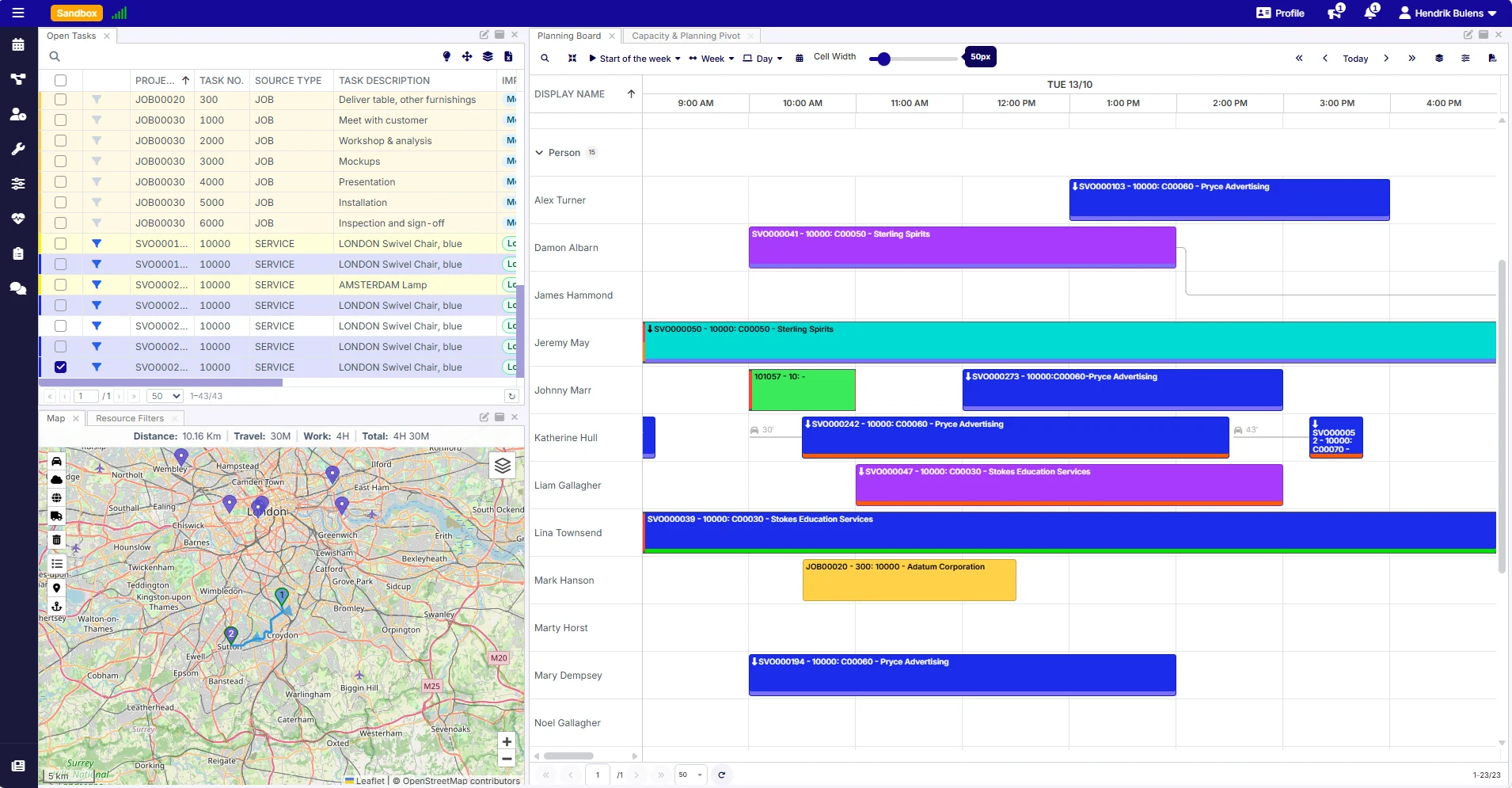
Hospitals and labs depend on their equipment. Dime.Scheduler gets the right engineer to the device quickly.
Maintenance visits planned in Business Central, breakdowns logged in your CRM and jobs from other systems all land on the same board.
Filter on the certification for that scanner, analyzer or sterilizer, and on who is available, then plan the visit.
The engineer finds the department, the contact person and the notes in the app, and navigates there in one tap.
Does the device need a second visit? The planner puts the follow-up on the board straight away, with an engineer certified for that device.
Engineers are trained per device type and their certifications decide where they can go. Keep that in view while you plan.
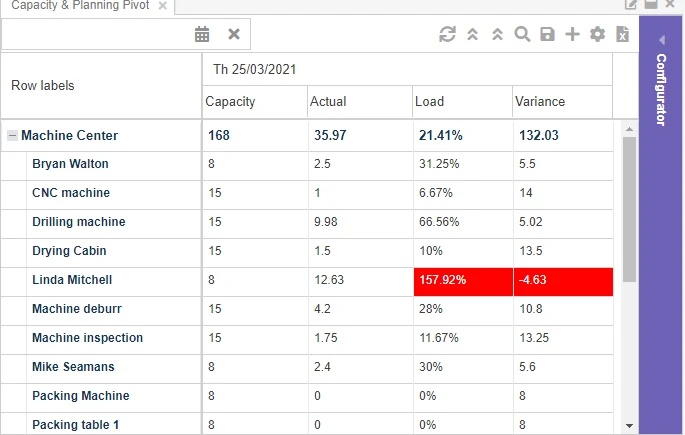
Filter on certifications and skills, so a visit only goes to someone who is allowed to work on that device.
The capacity overview shows who is overbooked and who has room, so your few specialists do not burn out.
Training days and holidays sit on the board, so a visit doesn't land on someone who is away.
Everything an engineer needs for the day's hospital and lab visits, on a phone or tablet.
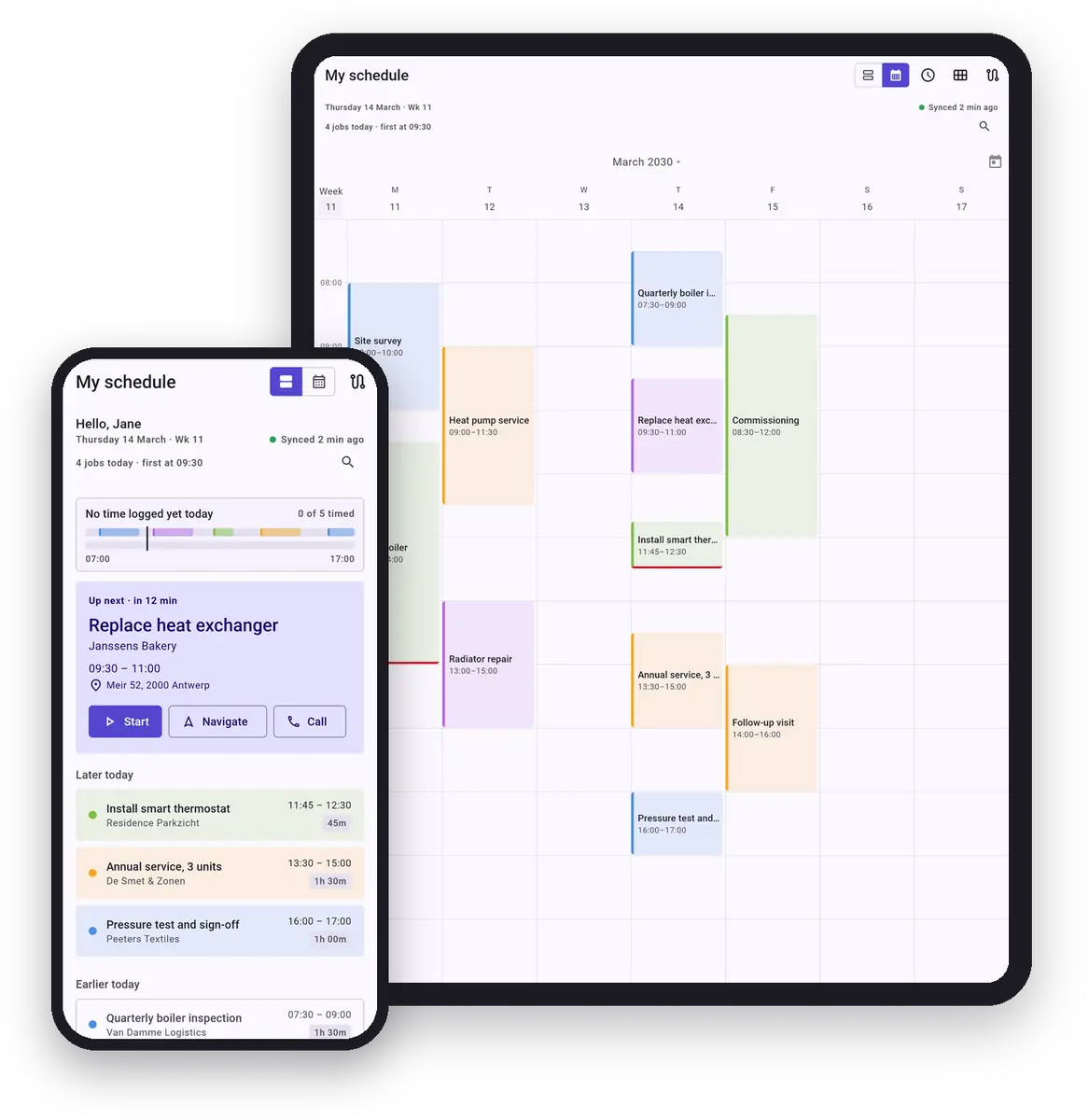
Each visit with the address, the department contact and the notes, and navigation to the site with one tap.
Deep inside a hospital or in a basement lab without coverage, the job details stay on the phone.
The app is available in English, Dutch, French and German, on phones and tablets.
A job that is moved or added shows up in the app, with no calls or texts to pass it on.
When an analyzer stops in the middle of a lab shift, the repair comes first. Make room for it and keep the planned maintenance on track.
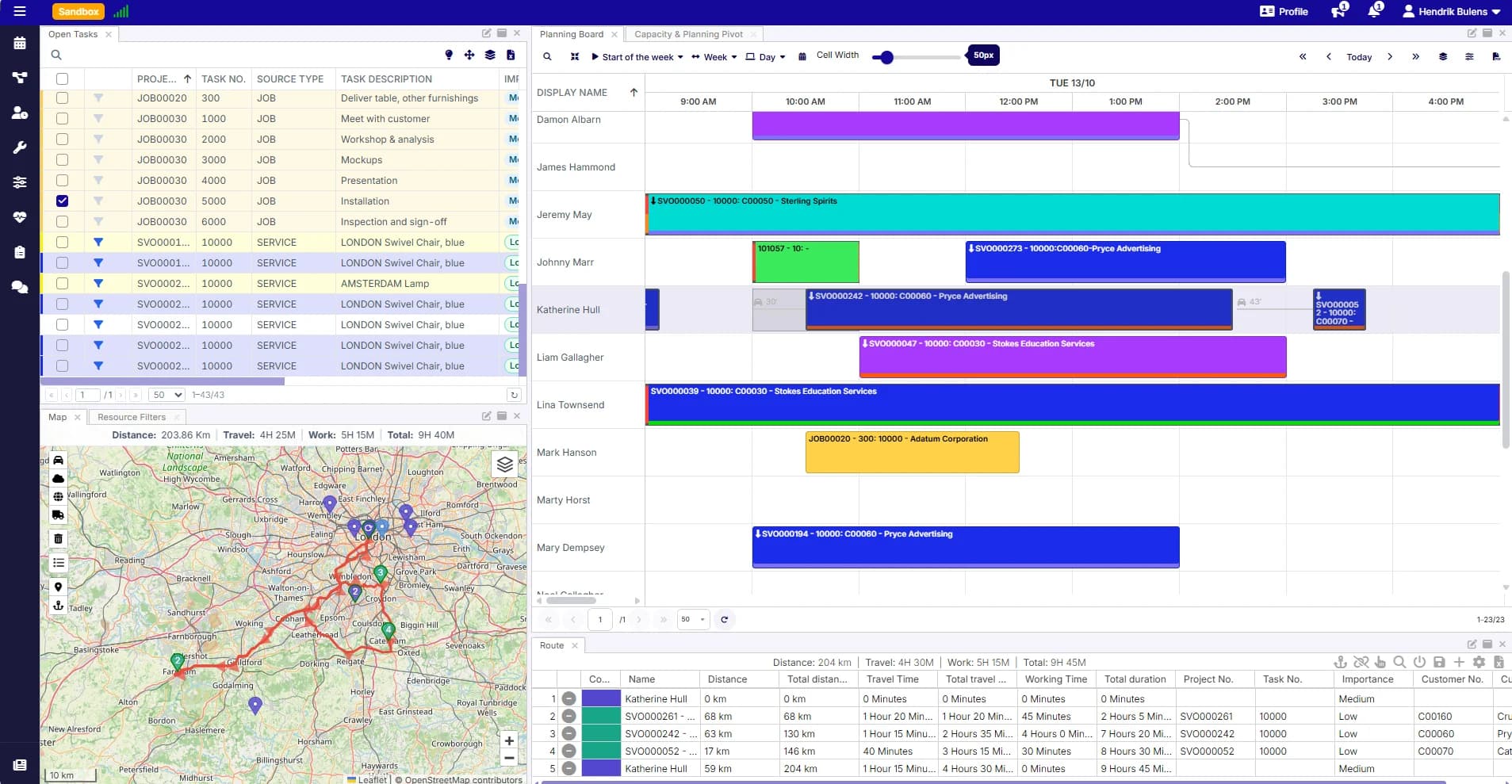
The map shows who is near the hospital and how long the drive takes, so the urgent job goes to someone who can get there soon.
Drag planned visits to another slot or another engineer, and everyone sees the new plan straight away.
Automatic optimization (an optional module) reshuffles the planned maintenance around the repair, respecting certifications and availability. You can review the result before it is applied.
Nucomat, a supplier of lab automation solutions, shares its experience with Dime.Scheduler in this video.
Watch the video
Each part works on the same data, so a change in the plan shows up on the schedule, and the hours logged in the office flow back to Business Central.
Like what you see?
Reach out to our team who will be happy to show Dime.Scheduler in action.
90-day free trial available.