
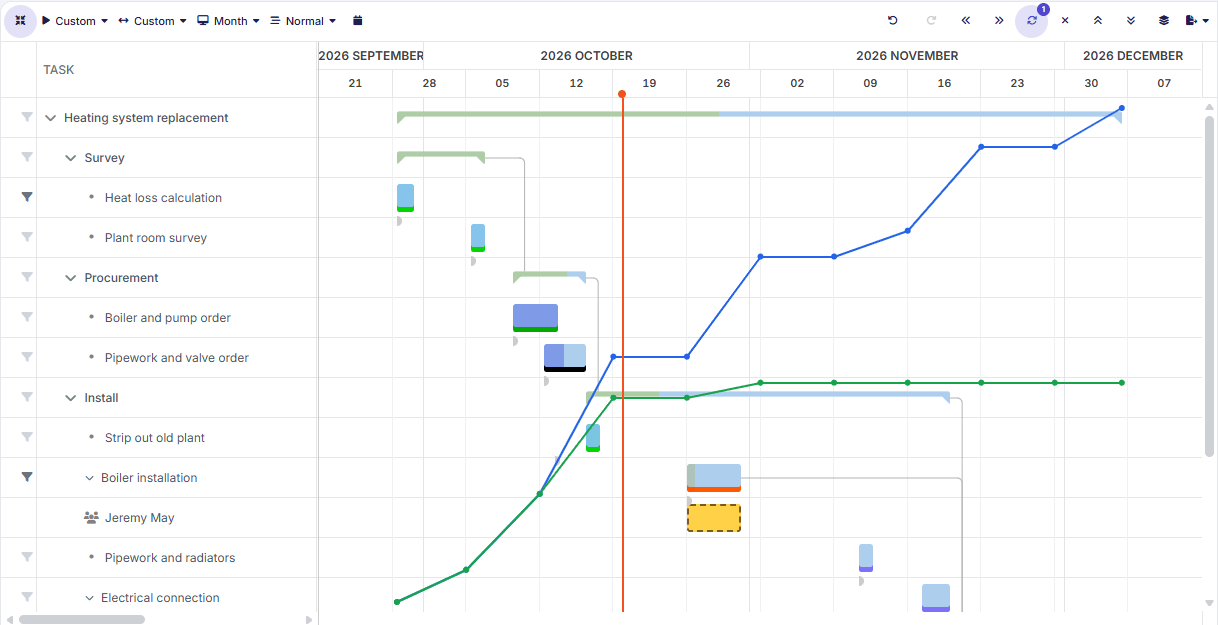
Phases, tasks, and dependencies
Break each project down into phases and tasks and lay out the timeline in a Gantt chart that keeps track of which tasks depend on which.
Accountants, lawyers, architects, IT service providers, agencies, consultancies: when your people's time is what you sell, every hour counts. Dime.Scheduler helps you plan your projects, put the right people on them, keep budgets in check, and make sure every billable hour ends up on an invoice.
Every client project on one screen: how far along it is, how much of the budget has been used, and whether it is on track.
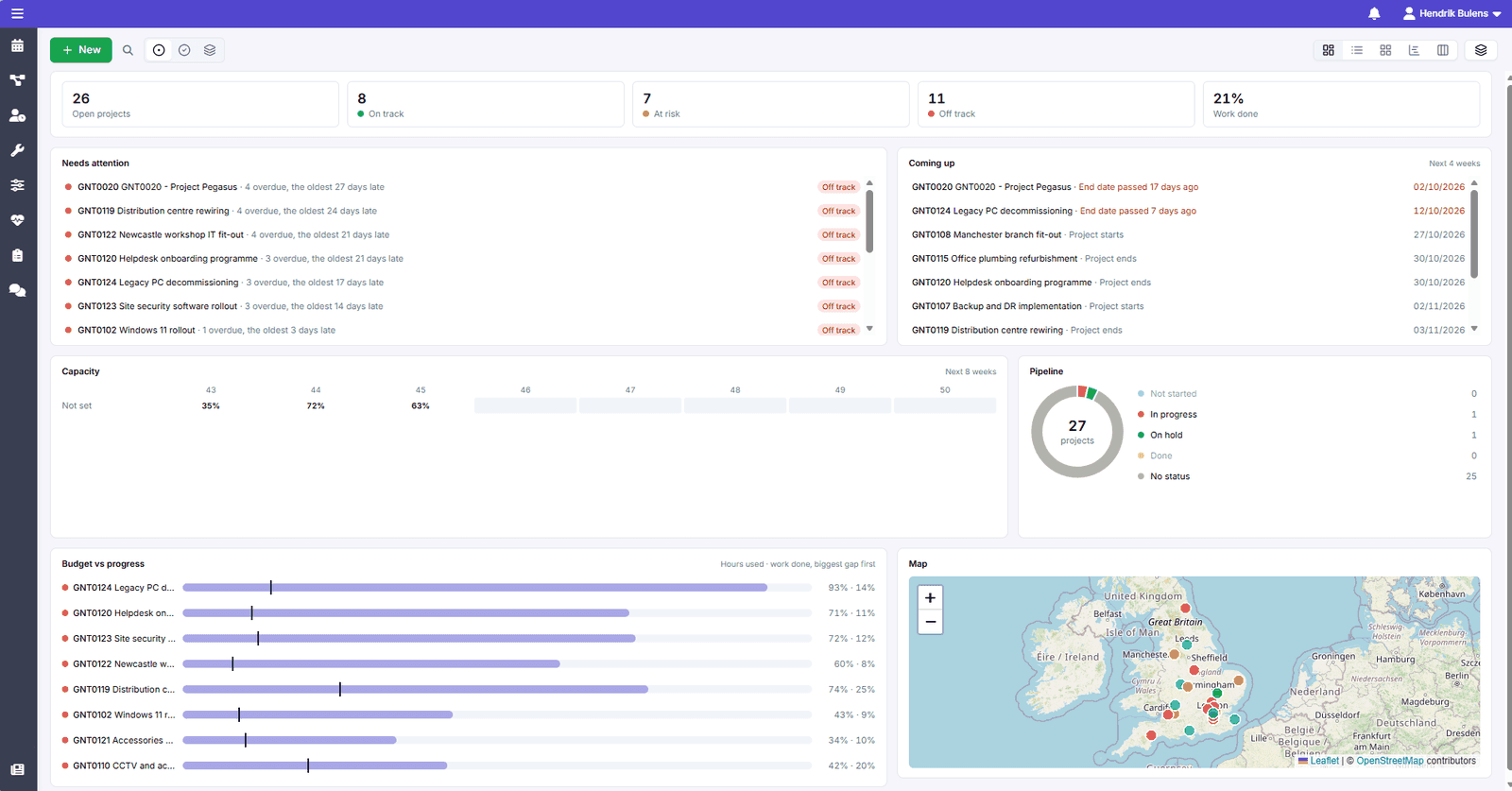
You decide what a project in trouble looks like, and those projects are listed under Needs attention, so you can step in before a deadline slips or a budget runs out.
See the hours already planned next to your team's availability, week by week, so you can move work, bring in help, or agree a new date with the client in time.
From the first task to final delivery, right next to your resource planning, so there is no separate project tool to keep up to date.
Break each project down into phases and tasks and lay out the timeline in a Gantt chart that keeps track of which tasks depend on which.
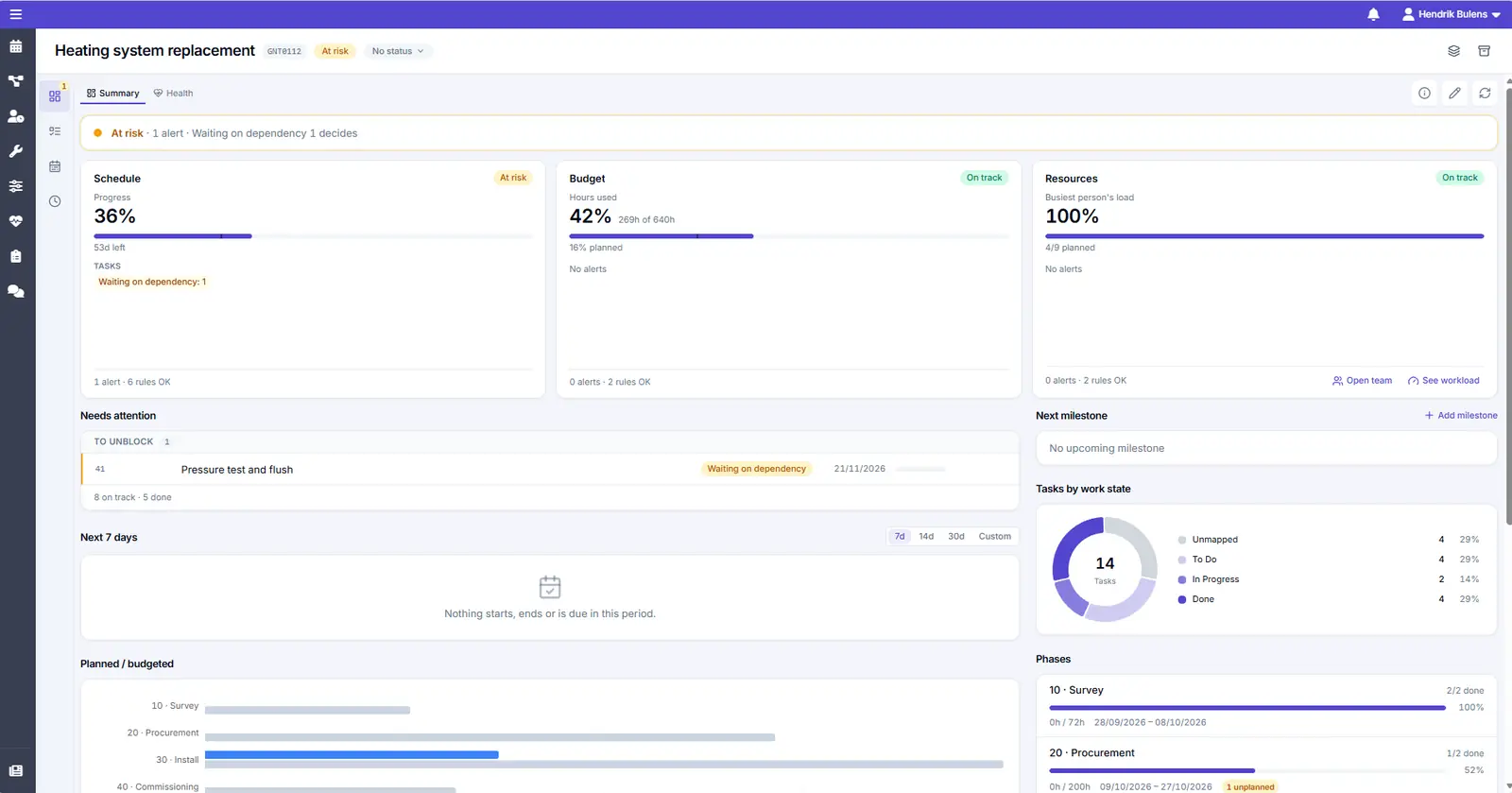
See the hours used next to the budget as the work progresses, so there are no surprises at the end of the project.
Watch how a long-term project is planned in the Gantt chart first, and then staffed on the planning board.
In professional services, time is revenue. Put the best person on every engagement, and keep the plan up to date as things change.
Assign work based on availability, location, and skills, and see who is free and when, so you reduce idle time and increase billable hours.
Match people to work on skills, certifications, and seniority with smart filters, whether it is a short assignment or a long-term project.
Deadlines shift and priorities move. Adjust the plan on the fly while your team gets instant updates on their assignments.

Your team sees their own week, records time as they go, and every billable hour ends up on an invoice.
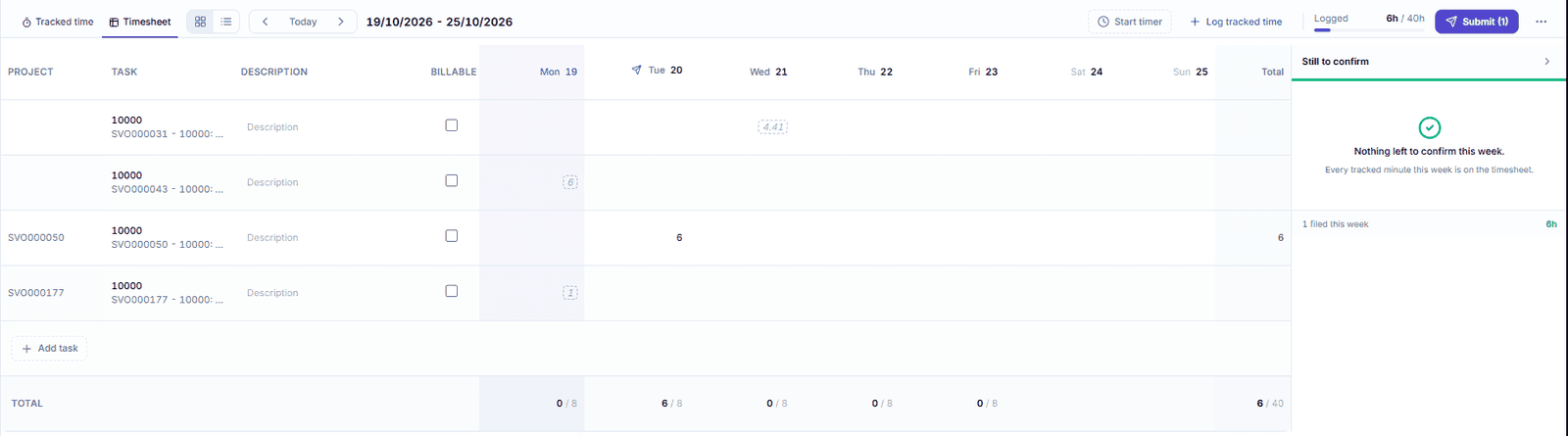
Their own appointments, tasks, and projects in one overview, with a timer that runs while they work, in the browser or the mobile app.
Timesheets go straight to Business Central, marked as billable or not, and you see at a glance who still has to fill theirs in.
With the Exchange add-on, planned work shows up in Outlook and stays in sync.

GMI Group has been one of our longest standing partners, and have been gracious enough to share how they use Dime.Scheduler internally for planning their own staff.
Watch GMI's story hereAntemetA, a French specialist in IT infrastructure, cloud, and cybersecurity, tells us how it moved a decade of scheduling habits to Dime.Scheduler without re-entering a single appointment.
Read AntemetA's entire story hereLike what you see?
Reach out to our team who will be happy to show Dime.Scheduler in action.
90-day free trial available!