Plan installations, inspections at fixed intervals and repairs of fire, gas detection and security systems on one board, and send a technician who is certified for that system.
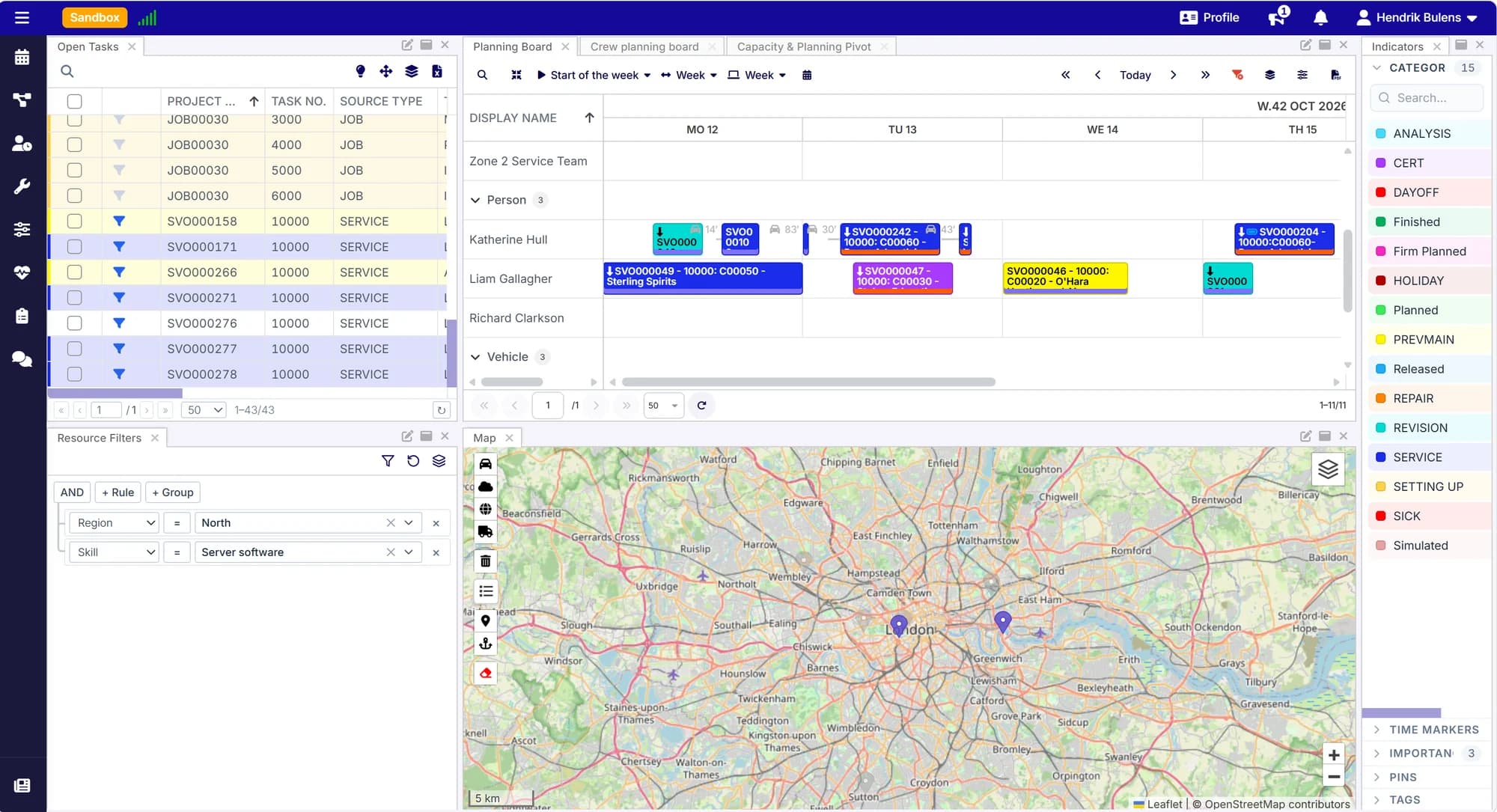
Your ERP knows which systems are due for a visit. Dime.Scheduler makes sure a qualified technician turns up.
Planned inspections and repair orders arrive from Business Central, your CRM or any other system, and wait on the board to be planned.
Filter on the certification the system needs, the service area and who is free, then drag the visit to the right person.
The technician opens the job in the mobile app, and finds the address, the contact and the notes from the office.
The hours logged for the visit go to Business Central for approval, and the office invoices it there.
A fire alarm panel, a gas detector and an access control system each need someone trained for them. Find that person quickly.
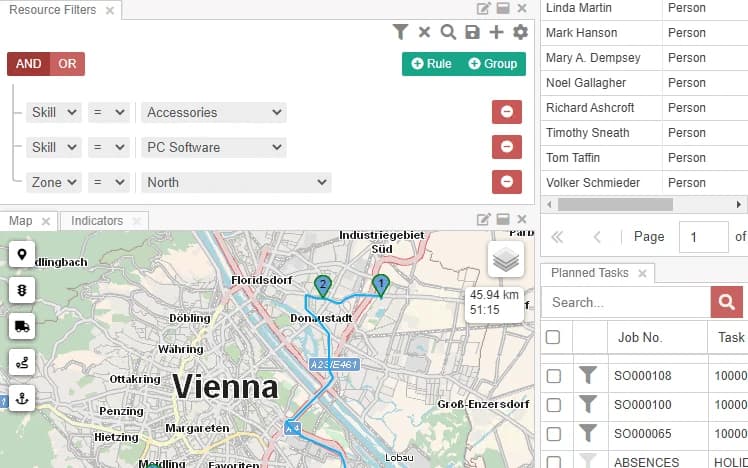
Combine certifications, skills and service area to see the technicians who can do the job.
The map shows where the visits are and how long the drive takes, so you group inspections in the same area on the same day.
Inspections that come back every year arrive from Business Central or repeat on a schedule, so there is nothing to retype.
Each technician has the day's installations, inspections and repairs on their phone or tablet.
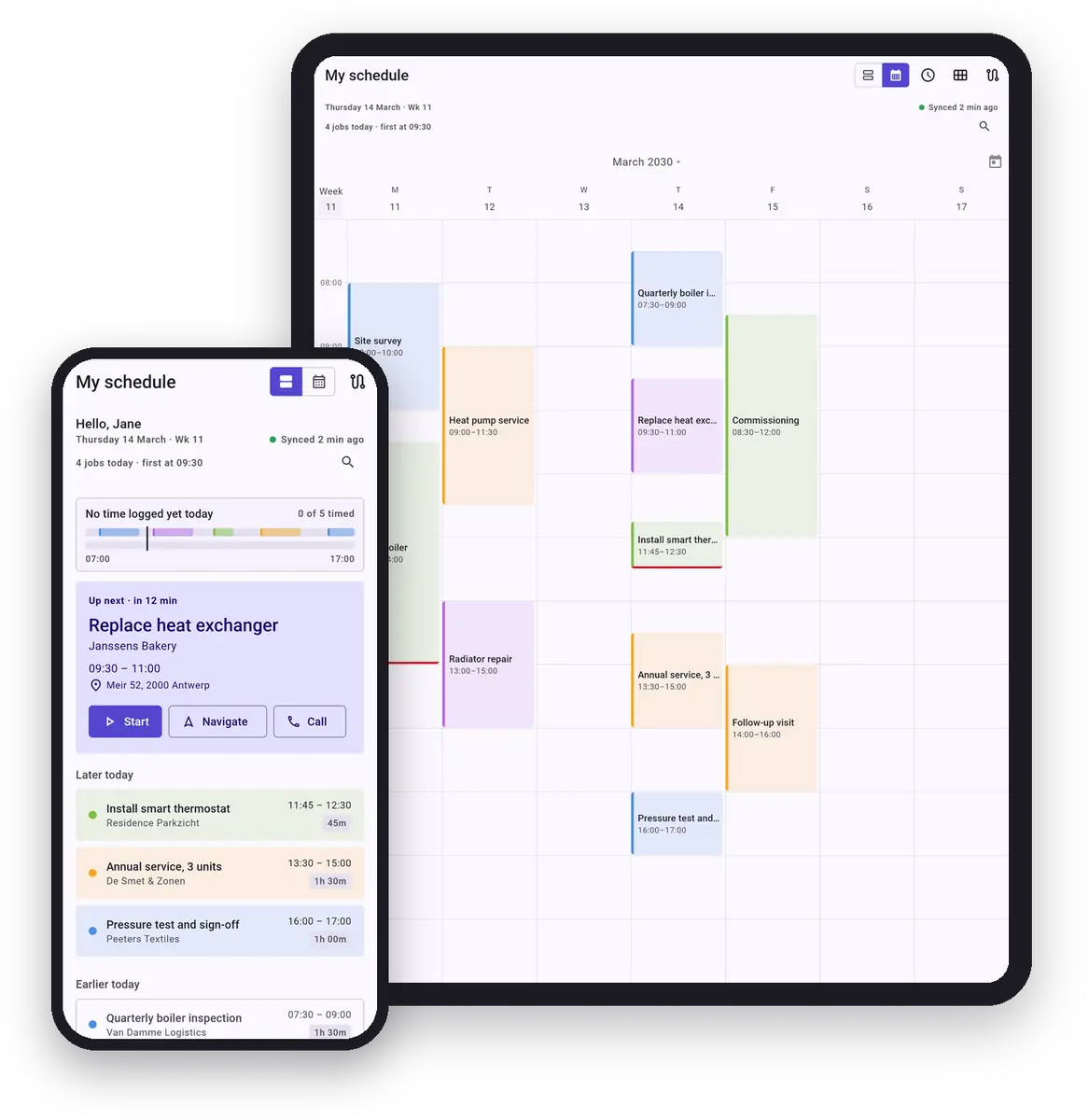
Today's jobs and the week ahead, each with the address, the contact person and the notes from the office.
Next to a panel in a cellar, the visit details stay on the phone.
A job that is moved or added shows up in the app, with no calls or texts to pass it on.
Navigate with Google Maps, Apple Maps or Waze, or call the contact person straight from the job.
A detector that goes into fault cannot wait until next month. Fit the repair in without losing track of the inspections already planned.
Move a visit, swap technicians or drop the repair into a free slot, and the technicians see the change in their app.
Automatic optimization (an optional module) fits the remaining inspections around the repair, matching certifications and availability. You can check the proposal before it goes to the technicians.
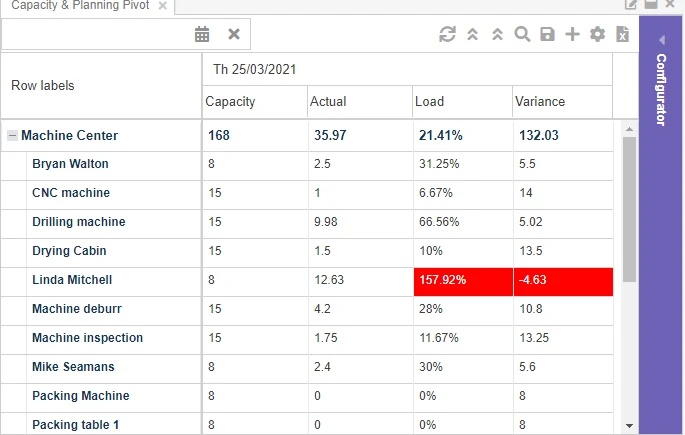
The capacity overview shows who is fully booked and who can take one more visit this week.
Specialists in gas detection for more than 40 years, Dalemans installs, repairs and maintains gas detection systems across Belgium and Luxembourg. Its planners assign technicians on their skills and service area, and the technicians see their jobs for the day in the mobile app.
Read Dalemans' entire storyEach part works on the same data, so a change in the plan shows up on the schedule, and the hours logged in the office flow back to Business Central.
Like what you see?
Reach out to our team who will be happy to show Dime.Scheduler in action.
90-day free trial available.