Plan crews for network work, meter jobs, solar parks and charging points across large areas, and react fast when an outage comes in.
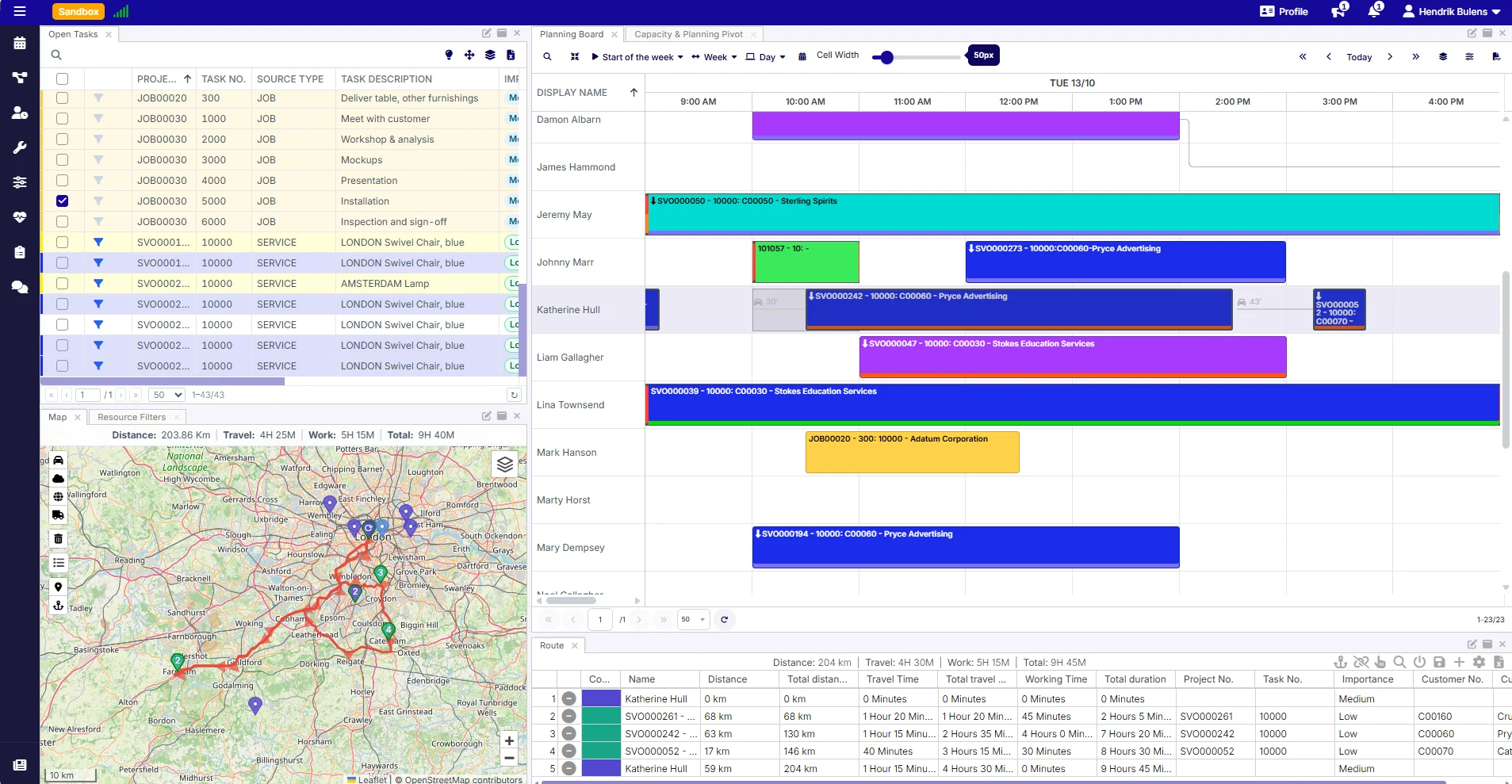
Planned work fills the week and outages break into it. Dime.Scheduler keeps both in one plan.
Meter changes, network maintenance and repair calls arrive from Business Central, the Power Platform or any other system.
Plan a crew as one, together with the vehicle and machine it needs, and check the travel time on the map.
Crews see the job, the location and the notes in the app, and navigate there in one tap.
The crew's app shows the whole day in order, so the next job is always one tap away.
Jobs spread over a whole region eat up hours on the road. See where the work is and plan the drives between jobs.
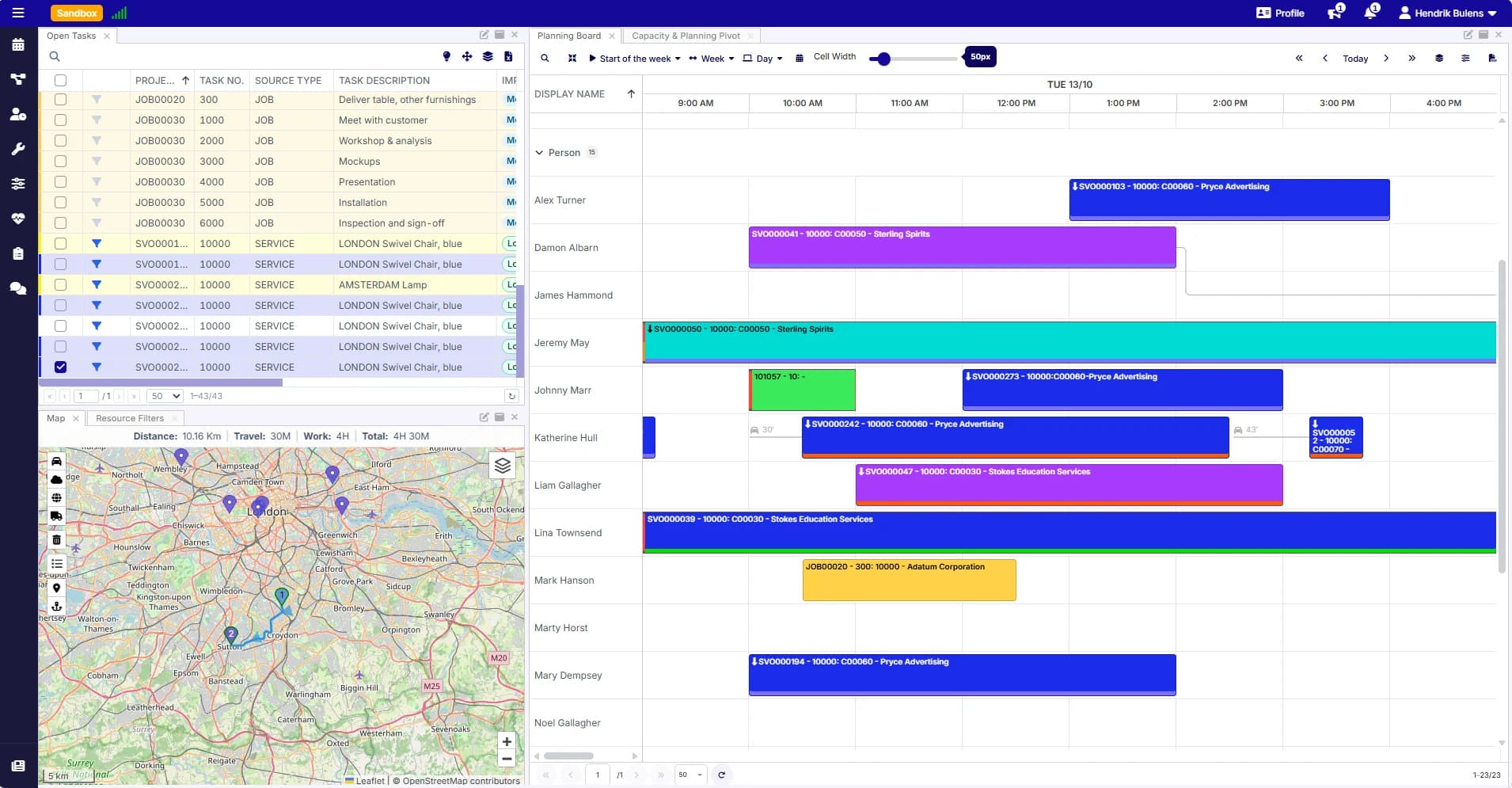
See every job on the map with the route and the drive in between, so crews work one area at a time.
Filter on skills and certifications, so high-voltage work or a charging point install goes to a crew that is qualified for it.
Automatic optimization (an optional module) groups the work by area and matches it to qualified crews. The planner can review the draft before it is applied.
The day's jobs on a phone or tablet, wherever the network takes them.
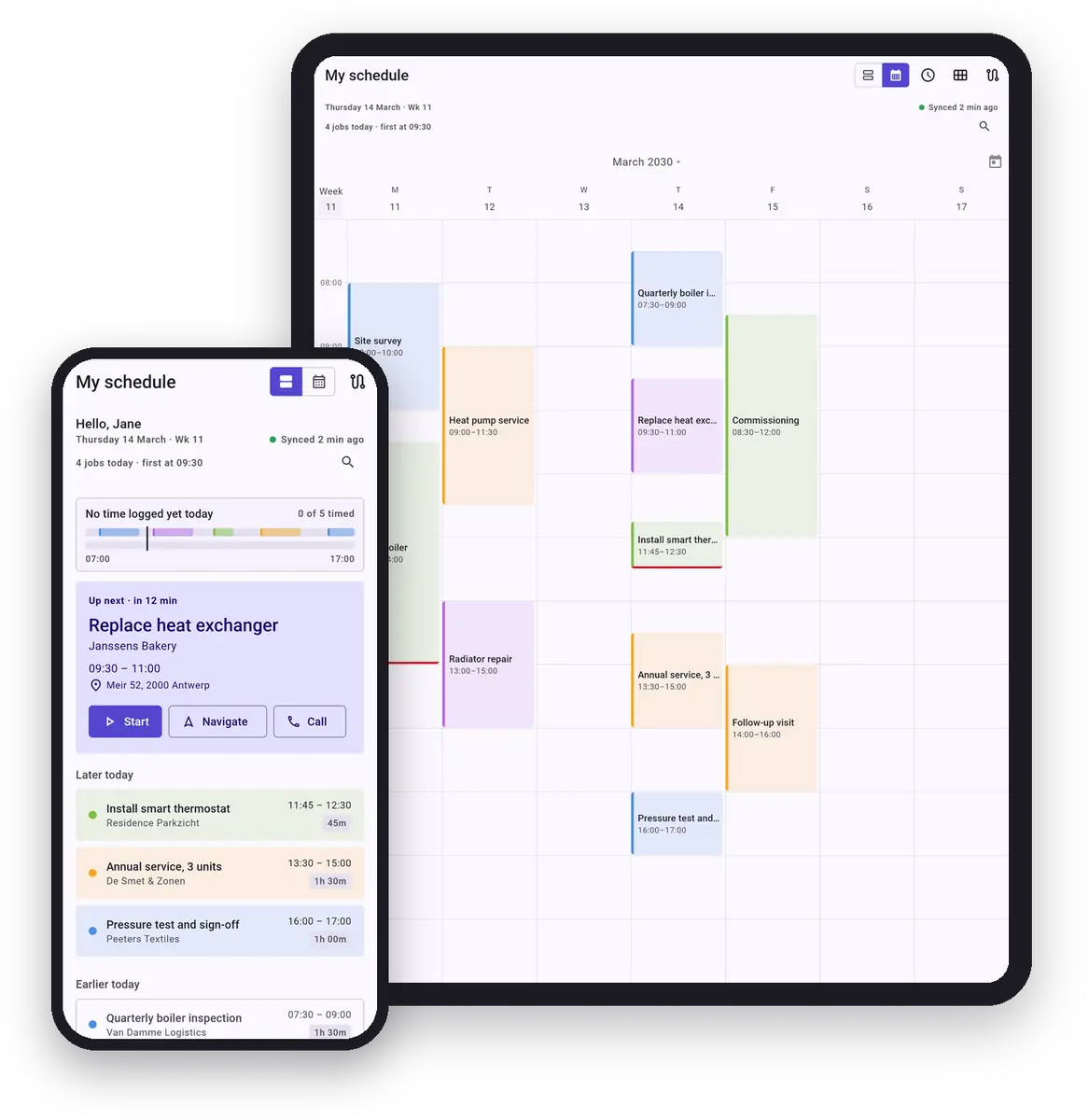
Each job with the location, the contact and the notes, and navigation there with one tap.
At a substation or far from a mast, the day's jobs stay on the phone.
A job that is moved or added shows up in the app, with no calls or texts to pass it on.
The app is available in English, Dutch, French and German, on phones and tablets.
When a cable fails or a solar park stops feeding in, the planned week has to make room. Do it in a few moves.
Crews can share their location, opt-in and only during the hours they choose. When they do, you see which crew is nearest to the fault.
Drag the planned jobs to another day or another crew, and they see the change in their app.
The capacity overview shows which crews are fully booked and which can take the extra work.
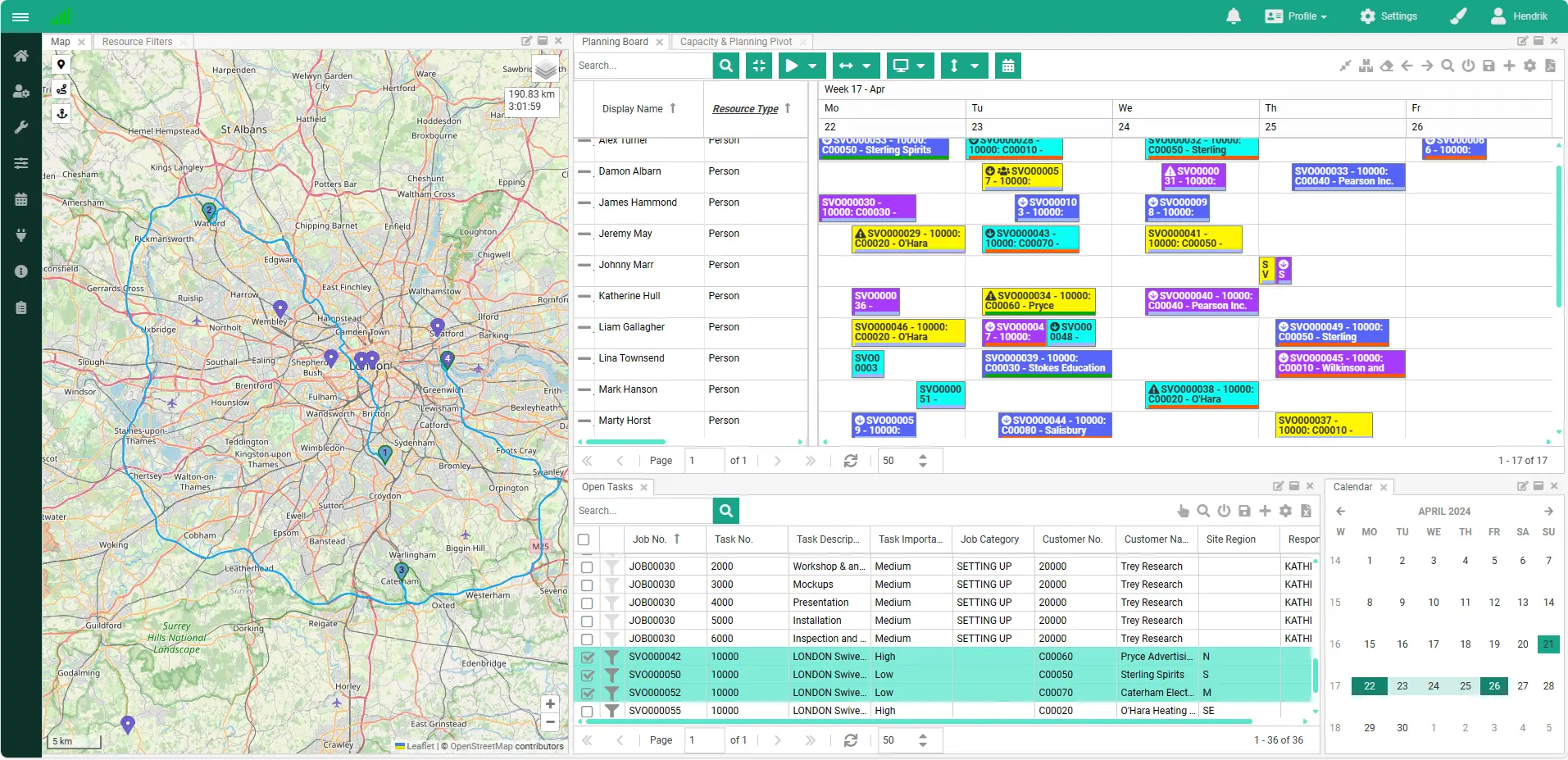
Each part works on the same data, so a change in the plan shows up on the schedule, and the hours logged in the office flow back to Business Central.
Like what you see?
Reach out to our team who will be happy to show Dime.Scheduler in action.
90-day free trial available.