
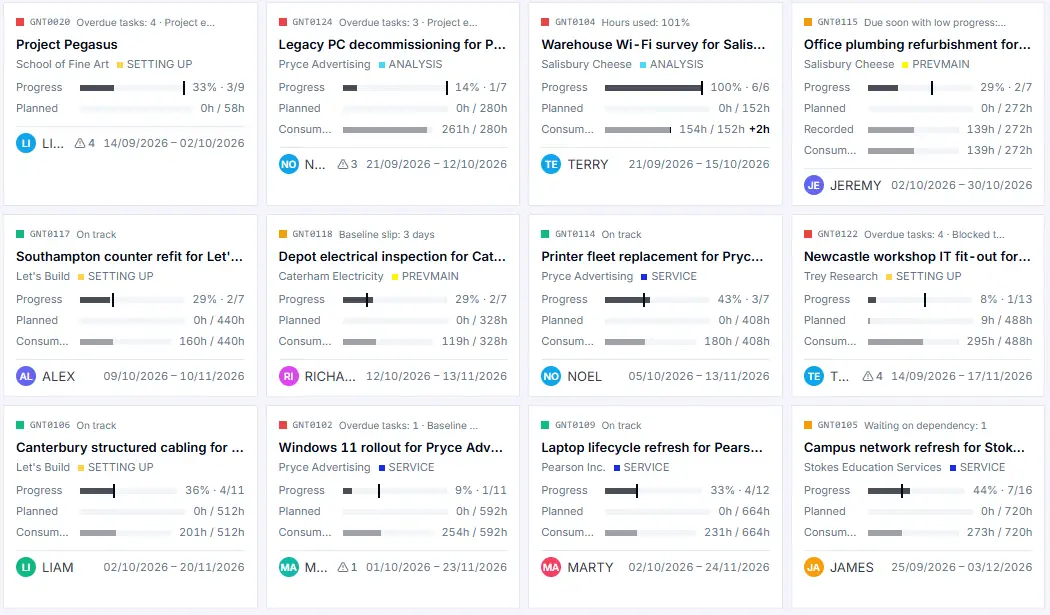
Cards
One card per project with progress, planned hours, and budget used.
Every project in one place: how far along it is, how much of the budget has been used, and whether it is on track by your own rules. See trouble coming, and see where your people are needed next.
A project in trouble should not wait for the monthly review. Dime.Scheduler puts the ones that need attention right in front of you.
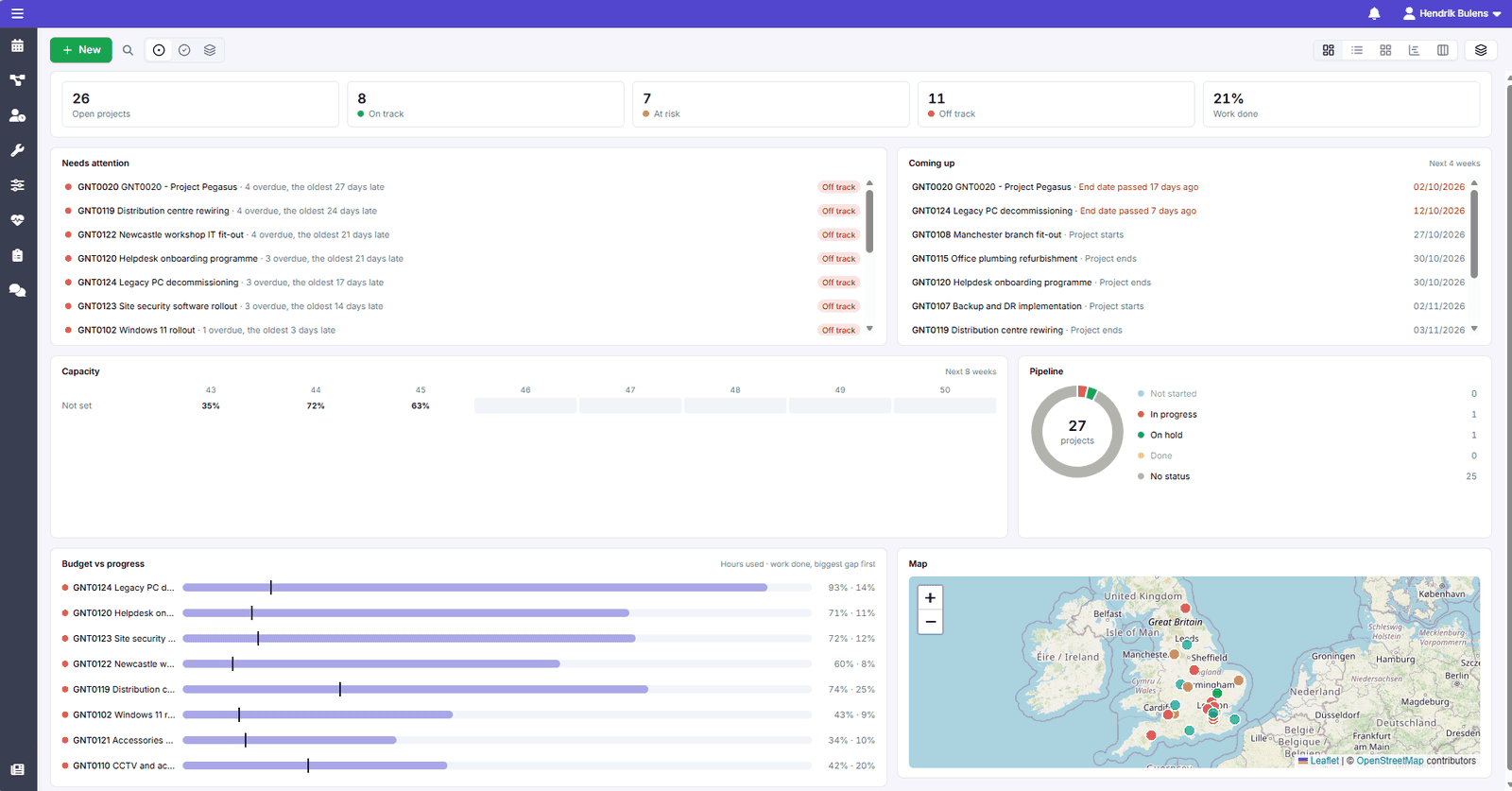
Set how many overdue tasks or how much budget used turns a project amber or red.
Highlight the projects that need you and let the rest fade.
Group by customer, category, or person responsible, and sort by end date or priority.
The same projects, the same numbers, in the view that suits the question you are asking.
One card per project with progress, planned hours, and budget used.
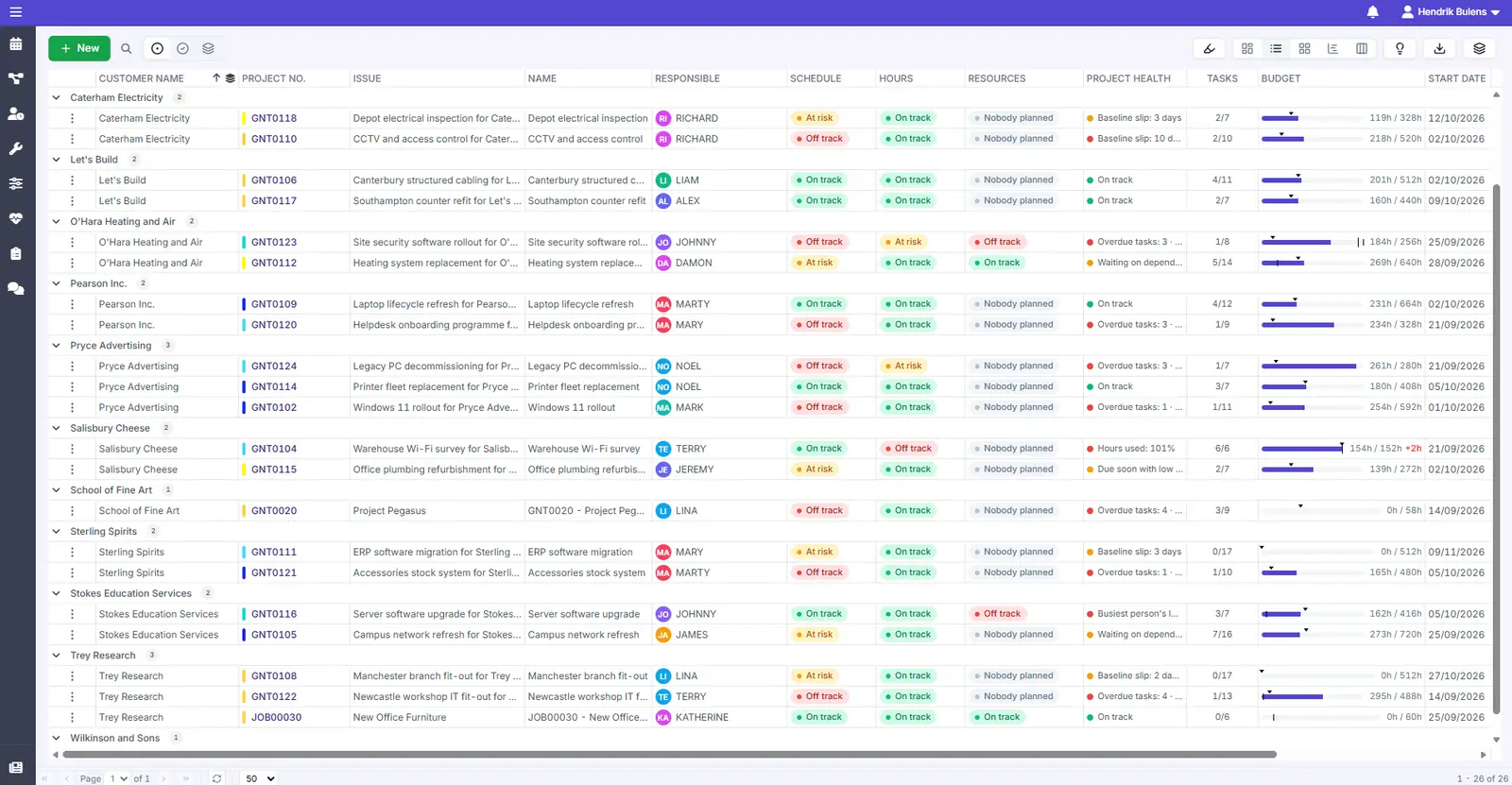
Every project in a list with its schedule, hours, and resource health side by side.
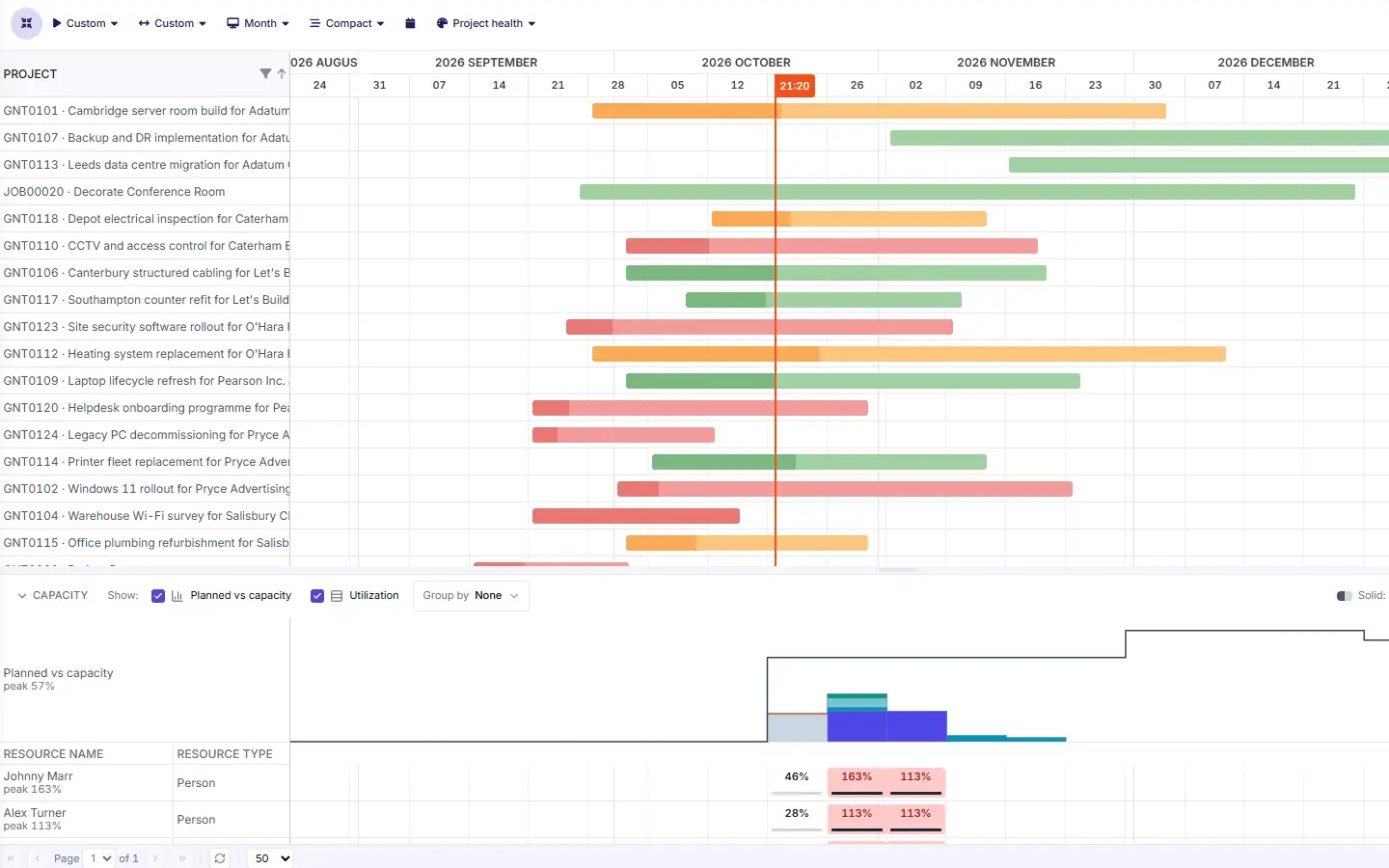
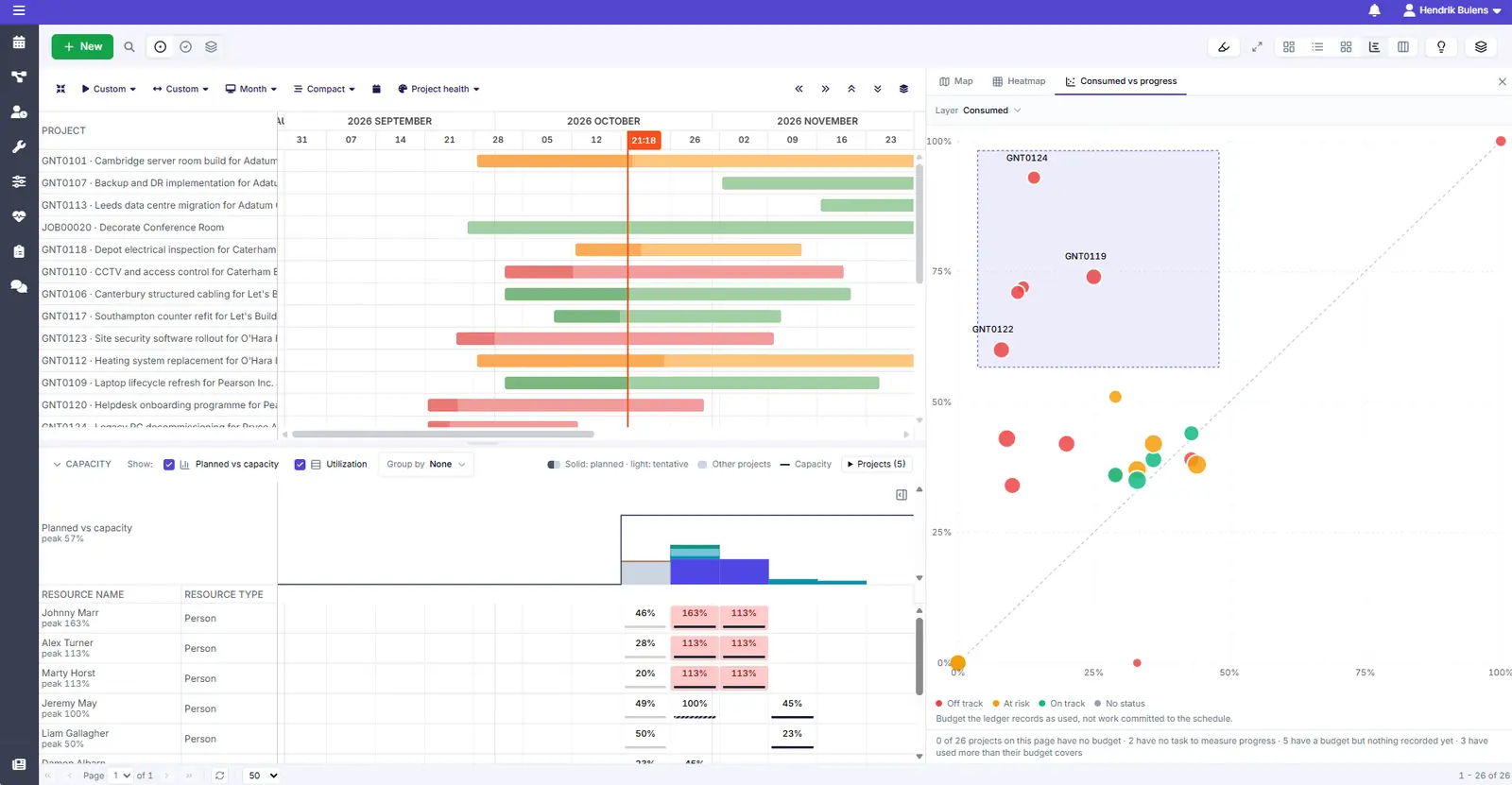
Every project on one timeline, coloured by project health.
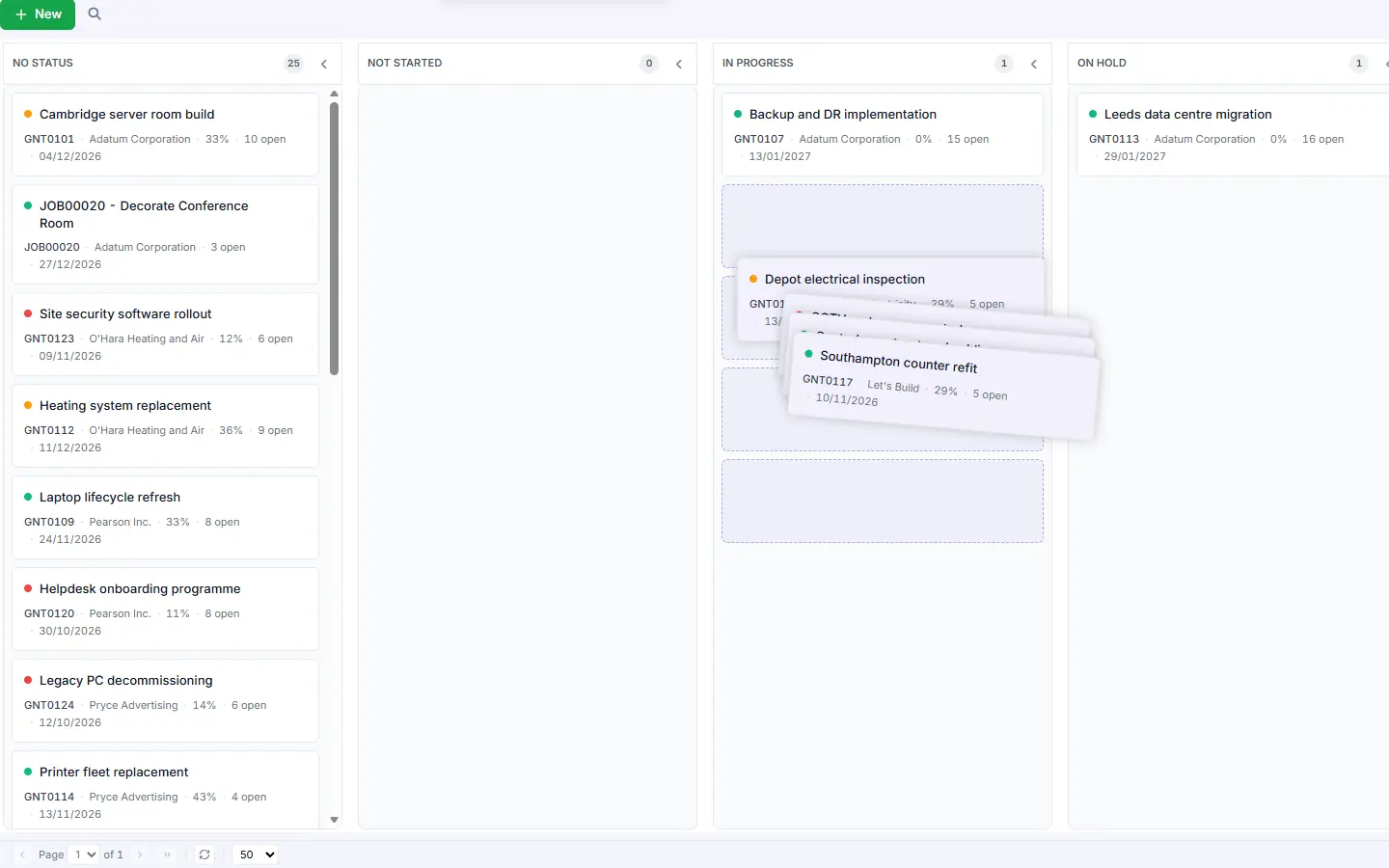
Projects in columns by status. Drag a card to change it.
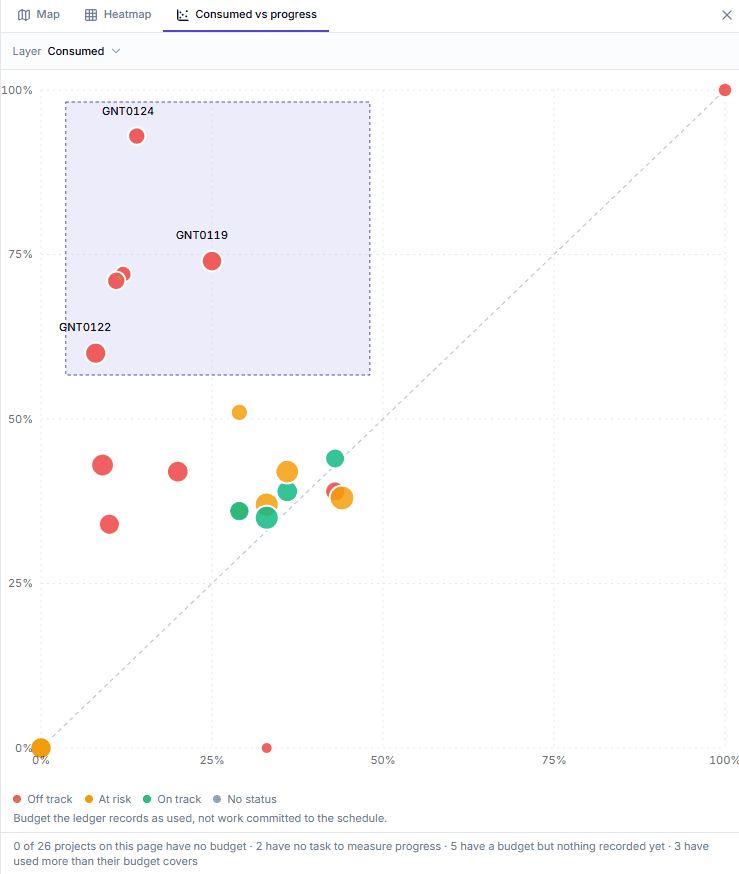
On a healthy project, budget and progress move together. When they drift apart, you want to know early.
Budget used against progress for every project, so the ones using budget faster than they progress stand out.
Dots are sized by budget, so the biggest projects stand out.
See which projects have no budget yet and which are over it.
A portfolio is only as healthy as the team behind it. Compare the work coming up with the people who will do it.
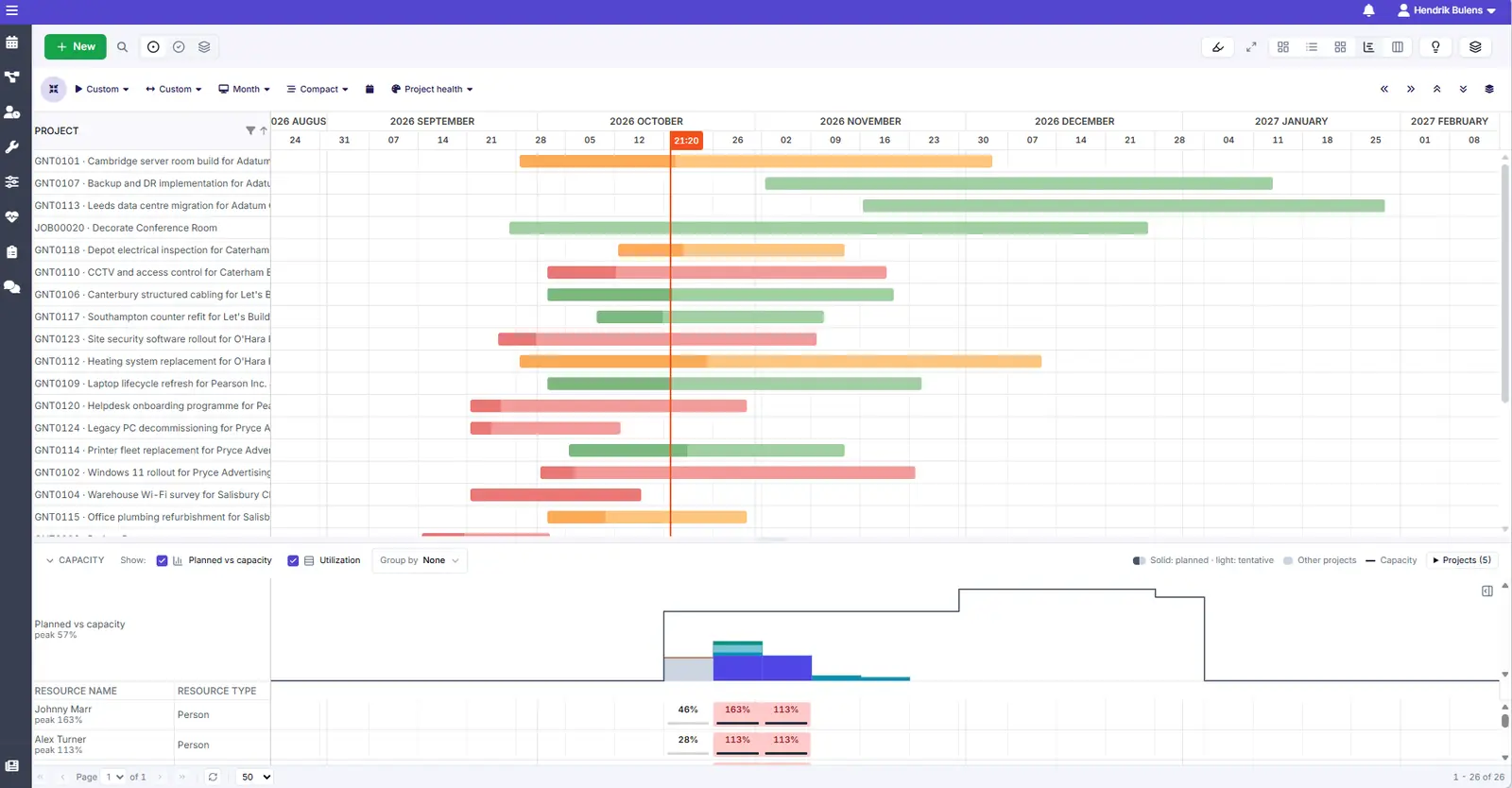
Compare planned hours with your team's capacity, week by week.
A heatmap shows how many projects run each month, per customer, category, or person.
When nobody has work planned on a project, its resources column says so.
The same data, seen at the level each role works at. Zoom out to steer, zoom in to get the work done.
Like what you see?
Reach out to our team who will be happy to show Dime.Scheduler in action.
90-day free trial available!