
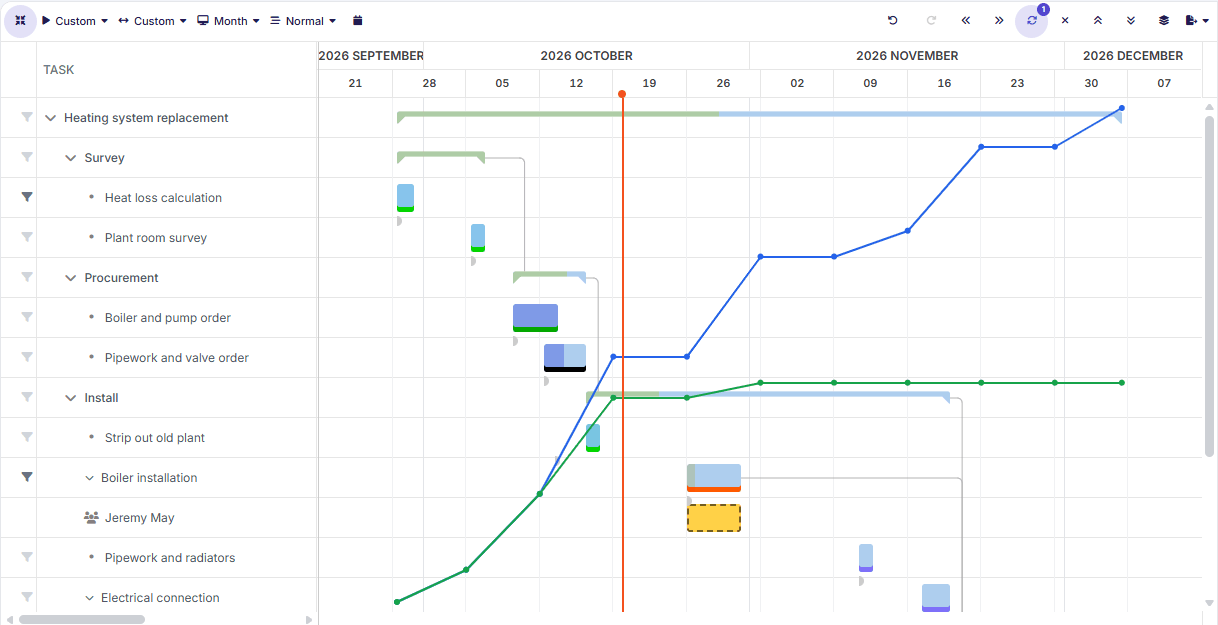
Phases, tasks, and dependencies
Lay out the work in a Gantt chart with dependencies and the critical path.
Break each project down into phases and tasks, follow its progress against the plan, keep the hours within budget, and make sure the right people are on it. All next to your resource planning, with no separate project tool to keep up to date.
Open a project and see at once how it is doing, what is holding it back, and where the hours are going.
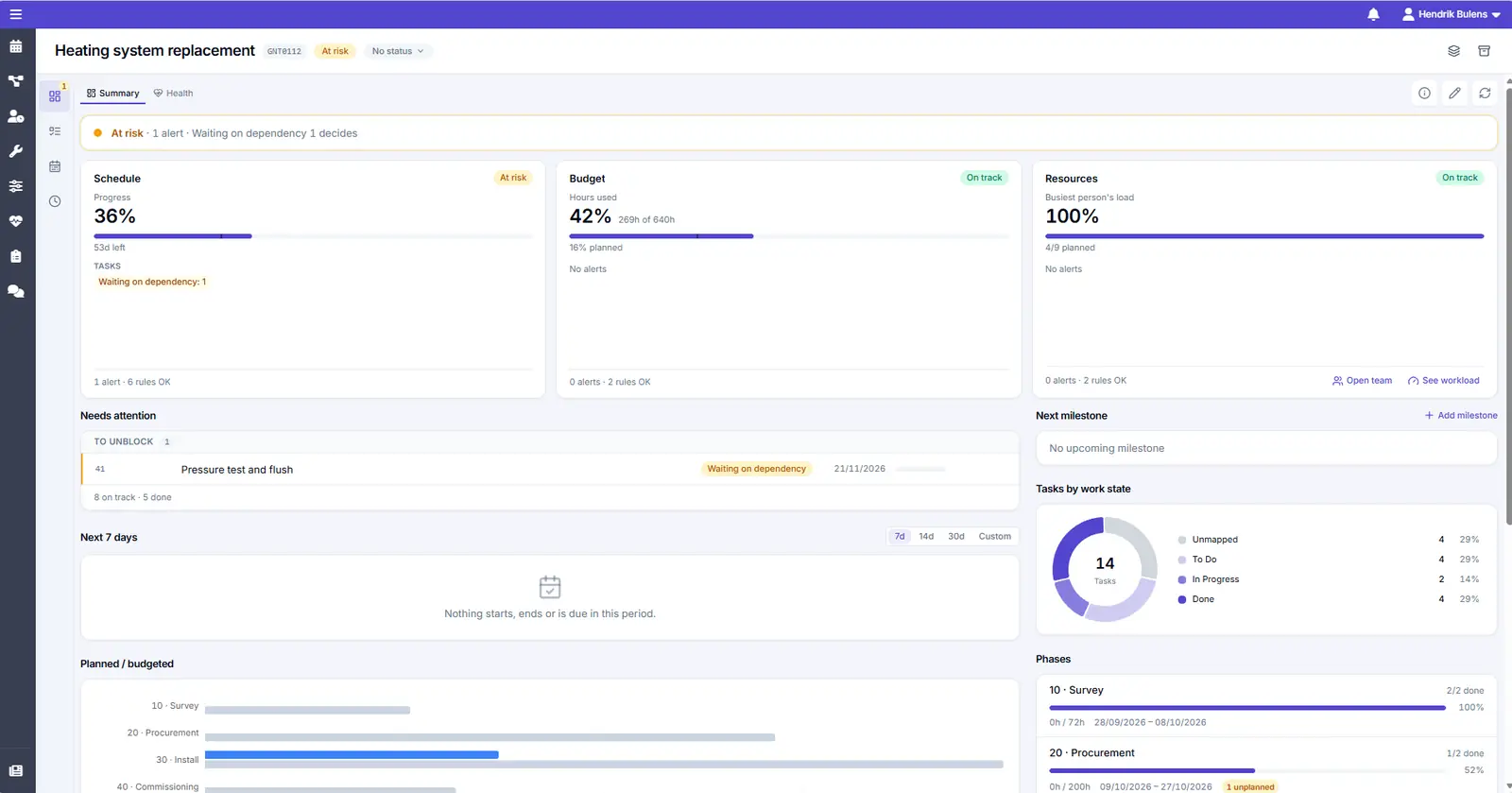
One line says whether the project is on track, and if not, why.
See how much is done, how many days are left, and how far the plan has slipped.
Follow planned and recorded hours against the budget.
From the first phase to the final handover, with the order of the work and the state of every task in view.
Lay out the work in a Gantt chart with dependencies and the critical path.
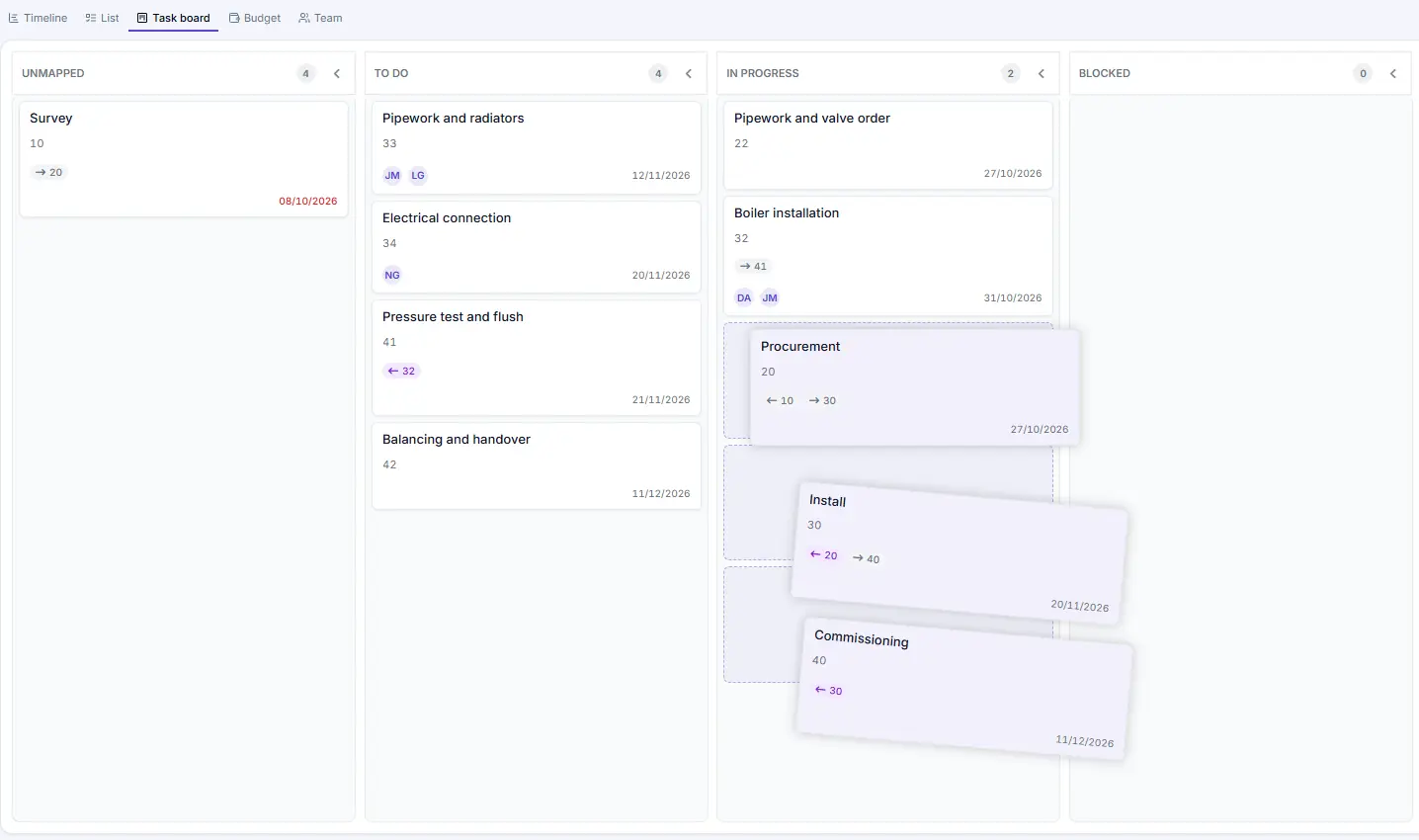
See how many tasks sit in each of your work states, and move them along on a board.
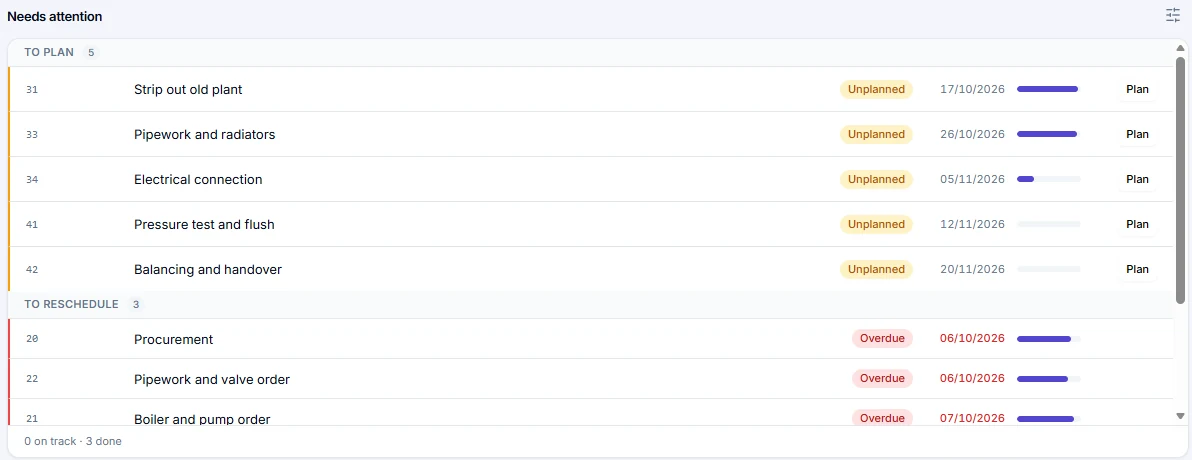
Needs attention groups the tasks by what to do about them: to plan, to confirm, late, to unblock, and to reconcile.
Tasks nobody is planned on yet, one click from the board.
Tasks past their end date or behind on progress.
What starts, ends, or is due in the coming days.
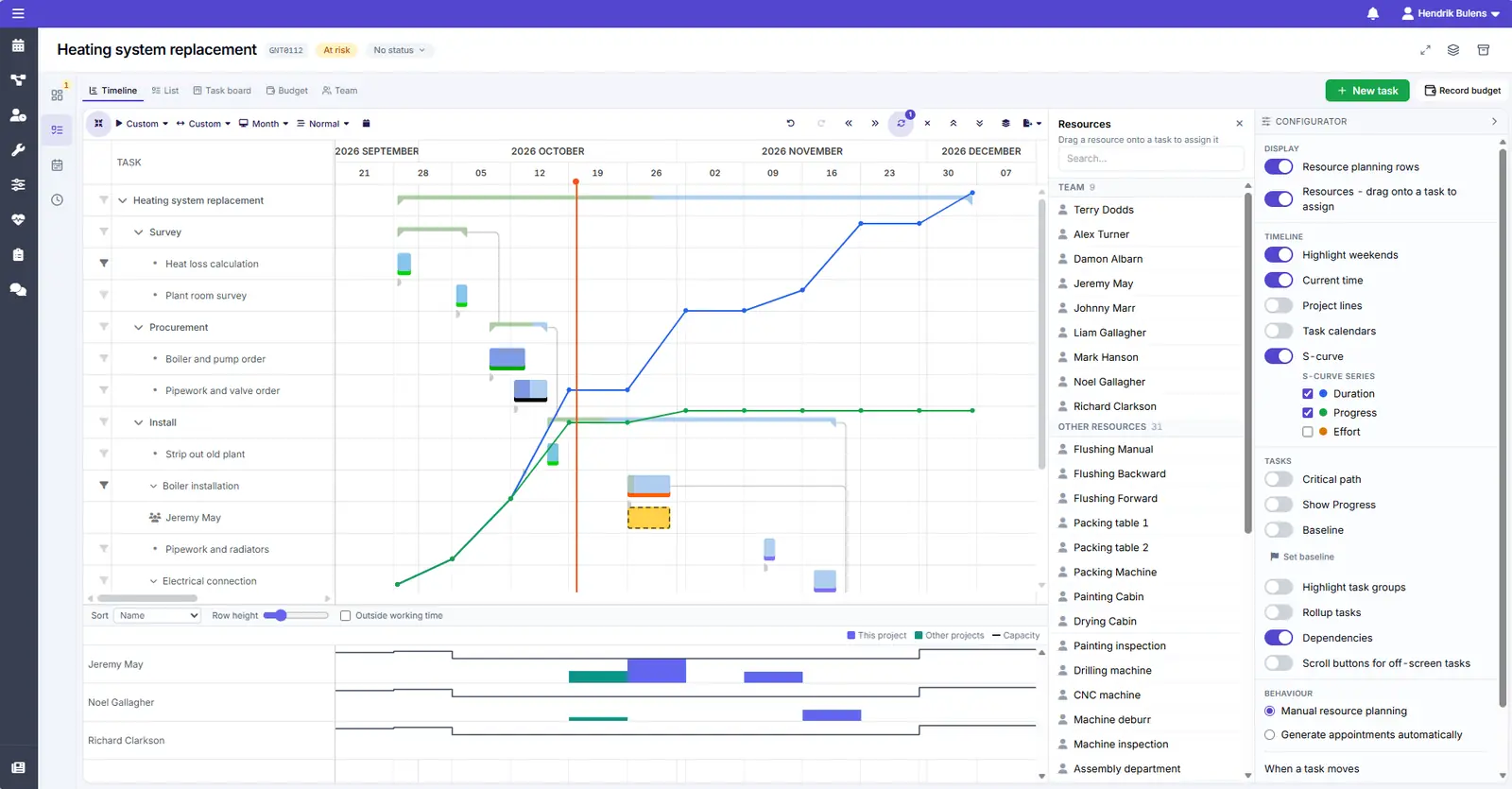
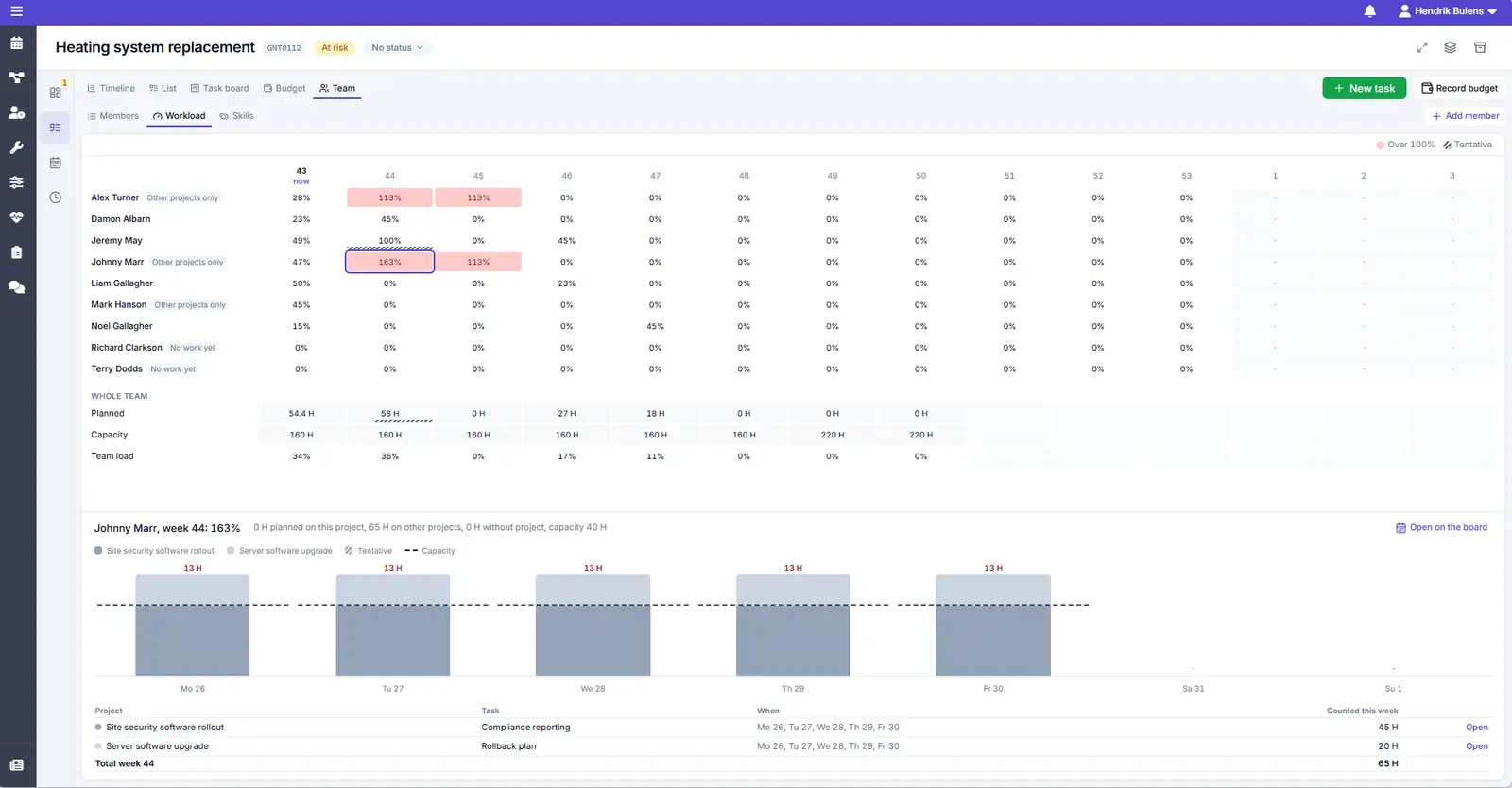
Staff the project first, then plan it, and see straight away whether the work is spread fairly.
Add people before assigning work, and see their skills.
Drag a person onto a task to assign them.
See who is overloaded and who has nothing planned yet.
The same data, seen at the level each role works at. Zoom out to steer, zoom in to get the work done.
Like what you see?
Reach out to our team who will be happy to show Dime.Scheduler in action.
90-day free trial available!