
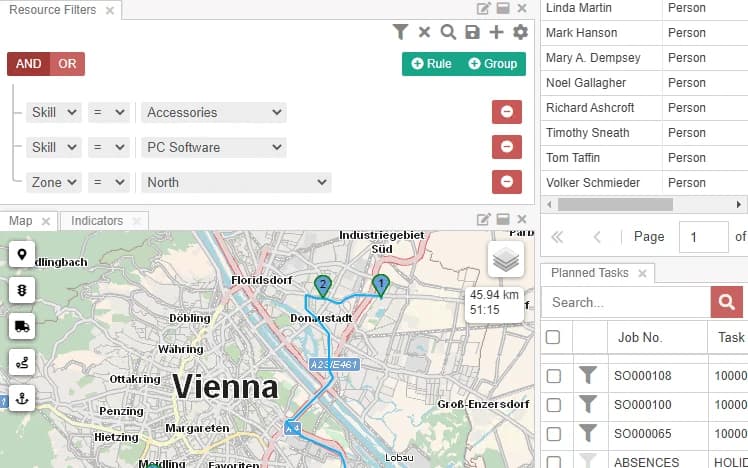
Skills and availability
Filter on skills, certifications, region, or any other property, and combine rules to see only the people who fit the job.
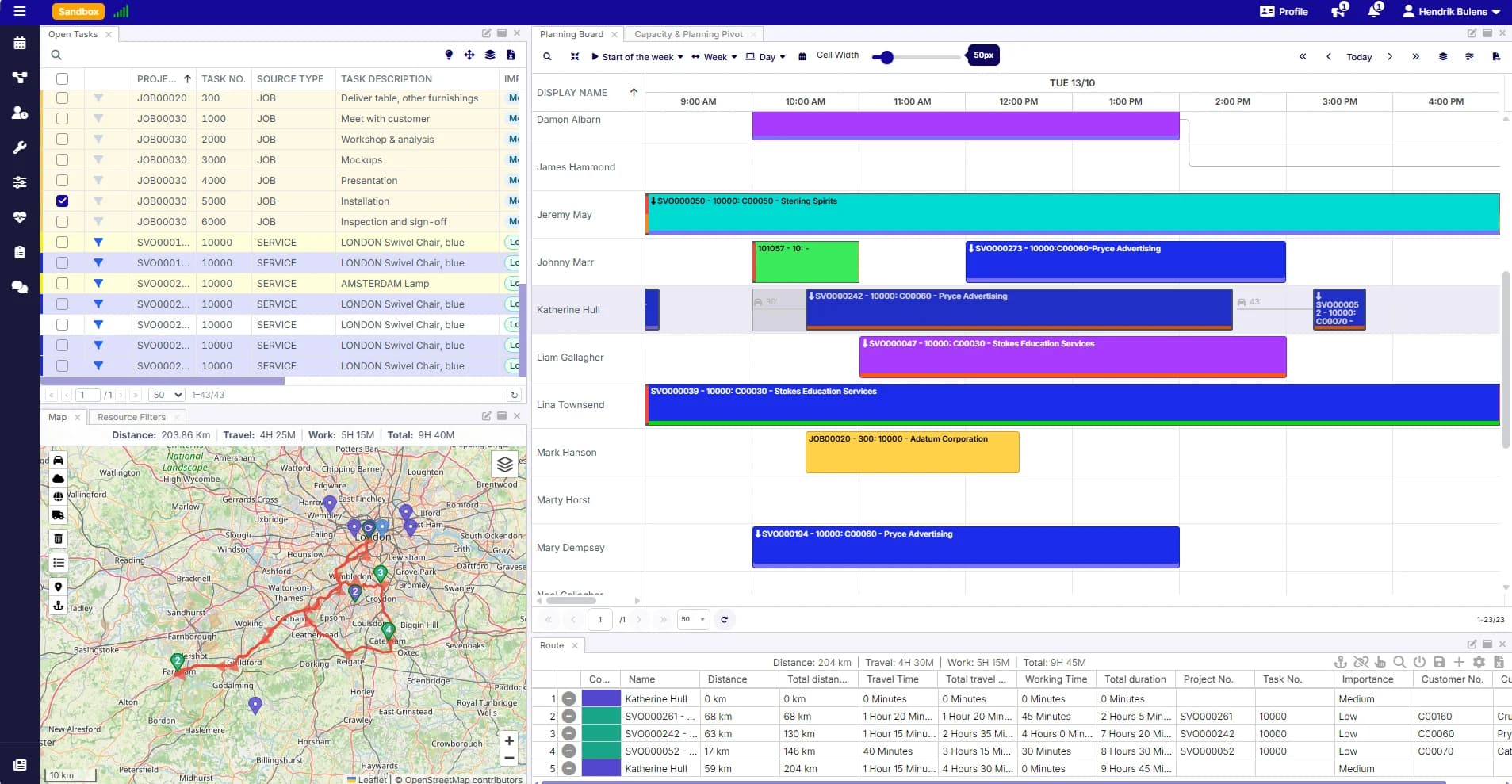
People, vehicles, and equipment, all the work that needs doing, and a map to see where it all happens. Drag a job onto the right person, see the travel time, and the change goes straight back to Business Central.
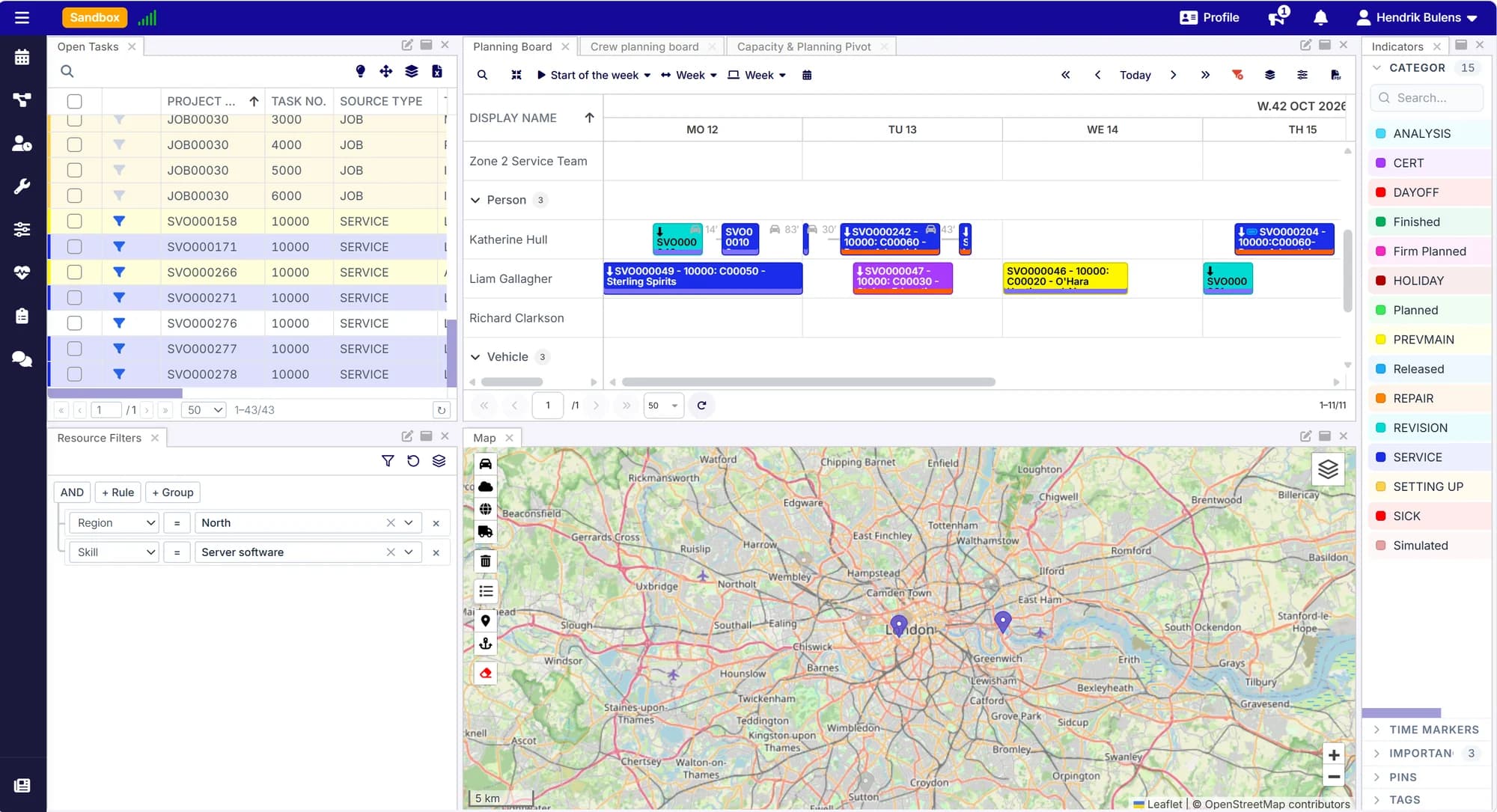
Open work on one side, your people and assets on the other. Planning is a matter of putting the two together.
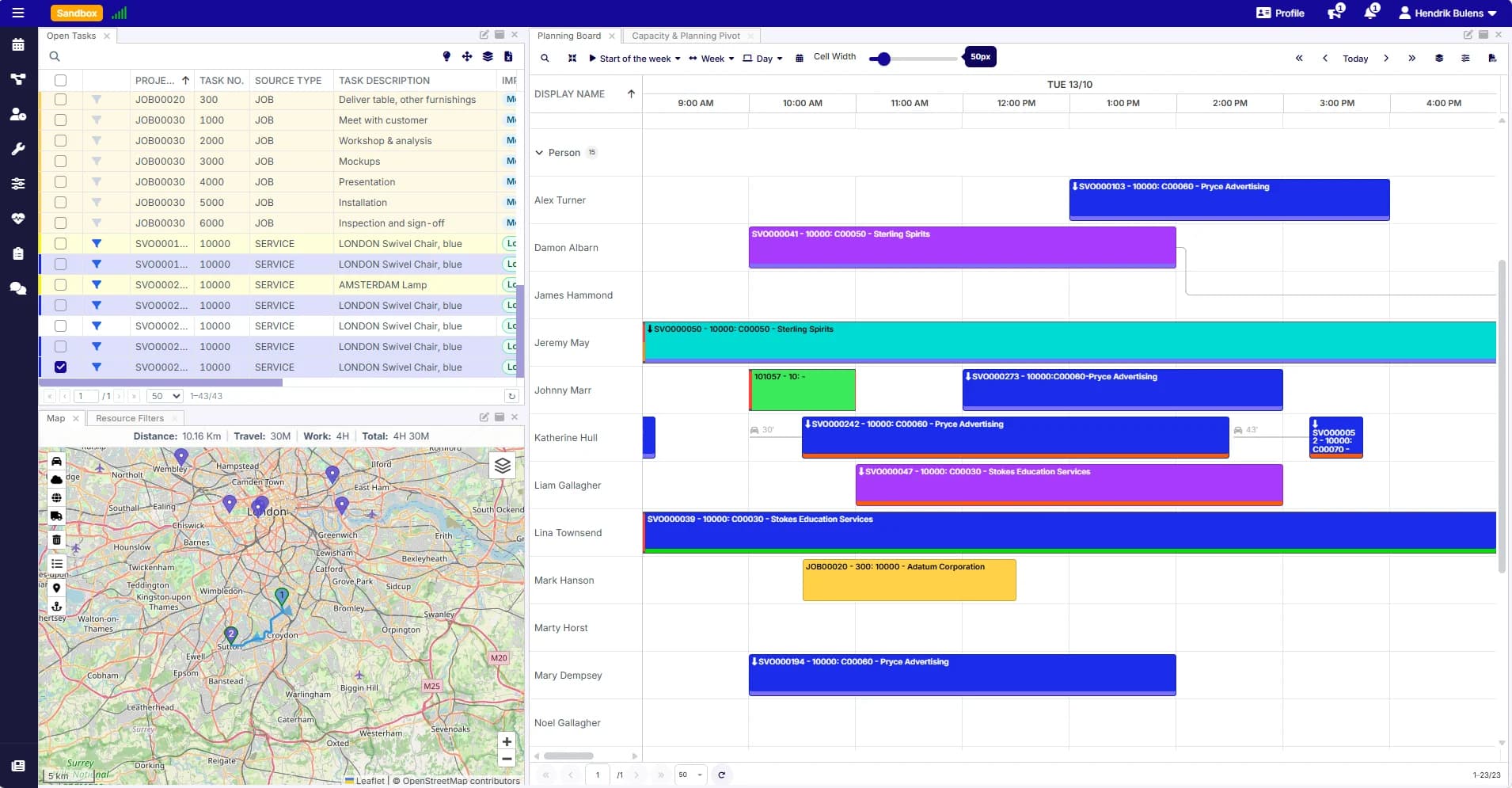
Pick a task from the list of open work and drop it on a person, vehicle, or machine. Moving it later is just as easy.
The board shows the travel time between appointments, so a day that looks full on paper is also a day that works on the road.
Switch between day and week views and zoom in or out, so you plan today's jobs and the coming weeks on the same board.
Narrow the board down to the people who can actually do the work, then see where they are and how busy they already are.
Filter on skills, certifications, region, or any other property, and combine rules to see only the people who fit the job.
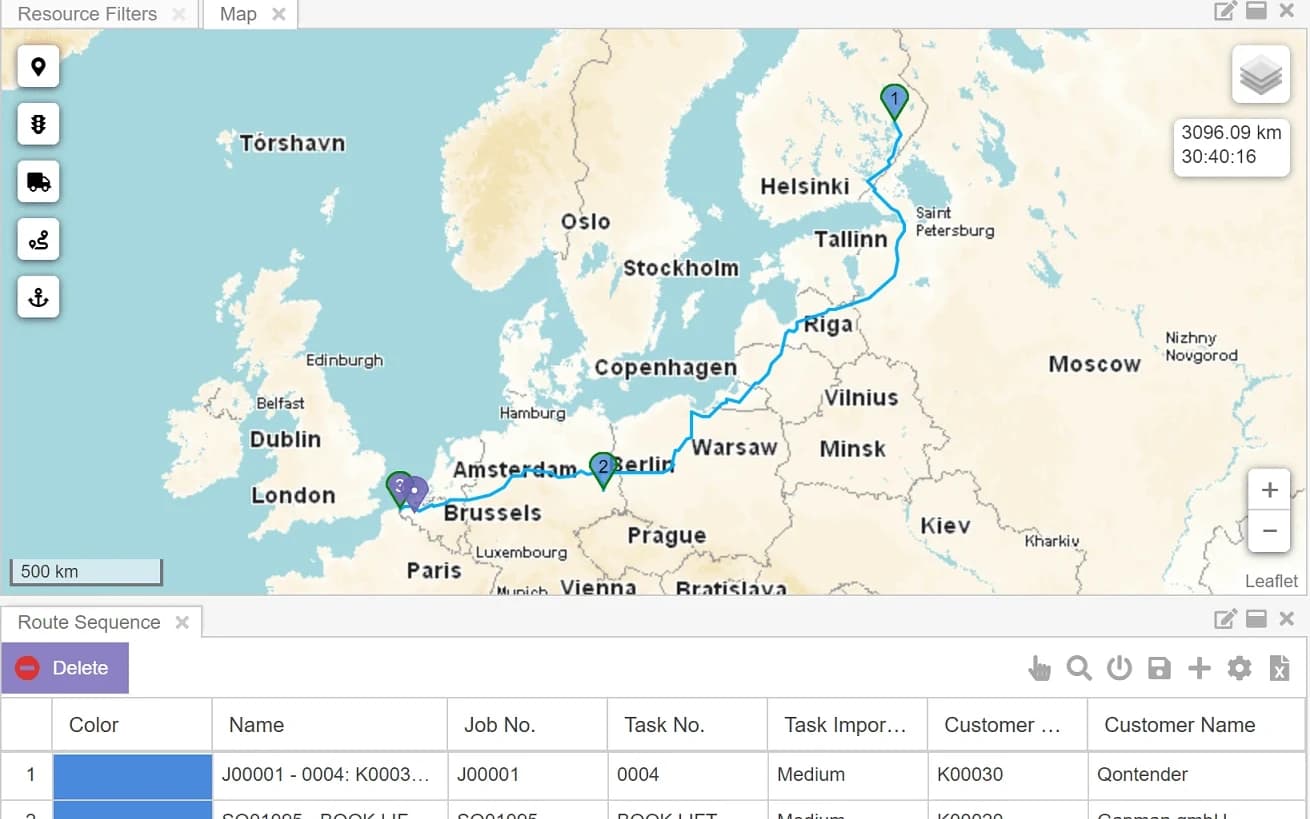
See jobs and people on the map, plan the order of the visits, and get the distance and driving time for the whole route.
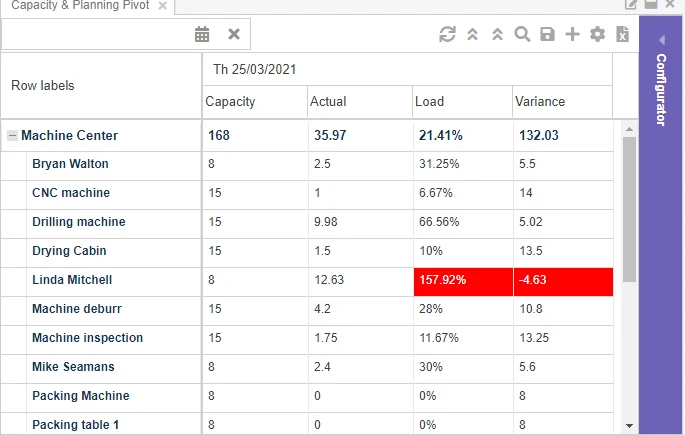
Compare each person's capacity with the work already planned, and spot overloaded people and idle time straight away.
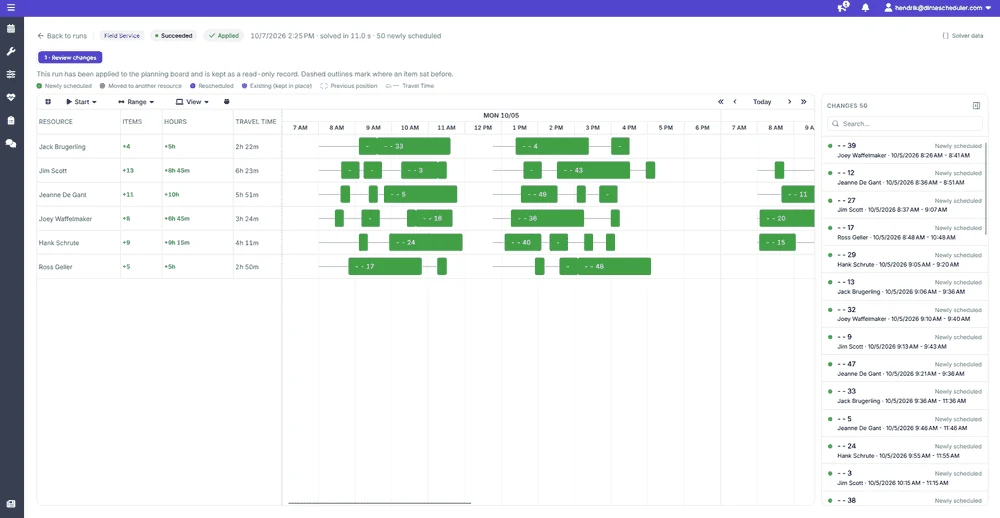
Hand over a set of jobs and people, and automatic optimization suggests who does what, when, and in which order.
For field work, it assigns and orders appointments across several people and days to keep travel time and distance down.
For office and project work, it spreads tasks over your people based on their availability and the requirements of the task.
Every proposal shows exactly what would change. Keep the existing planning and only fill in the gaps, or let it rework the whole plan, and apply the result straight away or after a review.
Service orders, projects, production, and sales visits, planned side by side and kept in sync with the systems they come from.
Bring in work from Business Central, CRM, Power Platform, or your own systems, and plan it all on the same board.
What you plan in Dime.Scheduler is sent back to the systems the work came from, with no retyping.
Planned work appears in your team's Outlook calendars and stays up to date when plans change.
The same data, seen at the level each role works at. Zoom out to steer, zoom in to get the work done.
Like what you see?
Reach out to our team who will be happy to show Dime.Scheduler in action.
90-day free trial available!